<p align="center">
  <picture>
    <source media="(prefers-color-scheme: dark)" srcset="assets/brand/mandara-banner-dark.webp"/>
    <source media="(prefers-color-scheme: light)" srcset="assets/brand/mandara-banner-light.webp"/>
    <img src="assets/brand/mandara-banner-light.webp" alt="Mandara: the phoenix rising from a Mediterranean wave beside the wordmark. A beautiful, fast desktop shell for Wayland, tuned for responsive frames." width="100%"/>
  </picture>
</p>

<p align="center">
  <b>A beautiful, fast Linux desktop built with care for its resources.</b>
  <br/>
  Design-first, spring-animated and written entirely in Rust.
  <br/>
  Your desktop, in your own words: optional local AI control through natural language.
  <br/>
  <i>Historical release samples built frames in about 0.1 ms; see the performance guide for the setup and current limits.</i>
</p>

<p align="center">
  <a href="docs/install.md">
    <img src="https://img.shields.io/badge/Install_Mandara-7C3AED?style=for-the-badge&logo=linux&logoColor=white&labelColor=7C3AED" alt="Install Mandara" height="50"/>
  </a>
</p>

<p align="center">
  <a href="https://github.com/theHamdiz/mandara/stargazers"><img src="https://img.shields.io/github/stars/theHamdiz/mandara?style=for-the-badge&logo=github&logoColor=E9E5FF&labelColor=0B1026&color=8B5CF6" alt="GitHub stars"/></a>
  <a href="https://github.com/theHamdiz/mandara/releases/latest"><img src="https://img.shields.io/github/v/release/theHamdiz/mandara?style=for-the-badge&logo=rust&logoColor=E9E5FF&labelColor=0B1026&color=22D3EE&label=release" alt="Latest release"/></a>
  <a href="https://github.com/theHamdiz/mandara/commits/main"><img src="https://img.shields.io/github/last-commit/theHamdiz/mandara/main?style=for-the-badge&logo=git&logoColor=E9E5FF&labelColor=0B1026&color=8B5CF6&label=commit" alt="Last commit"/></a>
  <a href="https://discord.gg/kPBaS2reQ3"><img src="https://img.shields.io/badge/Discord-join-5865F2?style=for-the-badge&logo=discord&logoColor=E9E5FF&labelColor=0B1026" alt="Join the Mandara Discord"/></a>
  <a href="docs/README.md"><img src="https://img.shields.io/badge/docs-22D3EE?style=for-the-badge&logo=readthedocs&logoColor=0B1026&labelColor=22D3EE" alt="Documentation"/></a>
  <a href="#license"><img src="https://img.shields.io/badge/GPL--3.0-8B5CF6?style=for-the-badge&logo=gnu&logoColor=E9E5FF&labelColor=0B1026" alt="GPL-3.0-or-later"/></a>
  <a href="https://ko-fi.com/thehamdiz"><img src="https://img.shields.io/badge/Ko--fi-support-22D3EE?style=for-the-badge&logo=ko-fi&logoColor=E9E5FF&labelColor=0B1026" alt="Support on Ko-fi"/></a>
</p>

<p align="center">
  <a href="docs/building.md#build-fingerprint"><img src="https://img.shields.io/badge/100%25-Rust-8B5CF6?logo=rust&logoColor=E9E5FF&labelColor=0B1026" alt="100% Rust"/></a>
  <a href="docs/desktop.md"><img src="https://img.shields.io/badge/Wayland-native-22D3EE?logo=wayland&logoColor=E9E5FF&labelColor=0B1026" alt="Wayland native"/></a>
  <a href="docs/performance.md"><img src="https://img.shields.io/badge/GPU-GPUI%20%C2%B7%20wgpu%20%C2%B7%20Vulkan-8B5CF6?labelColor=0B1026" alt="GPU rendered"/></a>
  <a href="docs/install.md#compositors"><img src="https://img.shields.io/badge/MangoWM%20%C2%B7%20Niri%20%C2%B7%20Hyprland%20%C2%B7%20Umbriel%20%C2%B7%20Sway%20%C2%B7%20River%20Classic%20%C2%B7%20KWin-first--class-22D3EE?labelColor=0B1026" alt="MangoWM, Niri, Hyprland, Umbriel, Sway, River Classic, KWin"/></a>
  <a href="docs/plugins.md"><img src="https://img.shields.io/badge/plugins-81%20built--in%20%2B%20WebAssembly-8B5CF6?labelColor=0B1026" alt="81 plugins plus WebAssembly"/></a>
  <a href="docs/languages.md"><img src="https://img.shields.io/badge/languages-20%20%C2%B7%20RTL%20Arabic%2C%20Persian%2C%20Urdu-22D3EE?labelColor=0B1026" alt="20 languages"/></a>
  <br/>
  <a href="docs/performance.md"><img src="https://img.shields.io/badge/resources-measured-2DD4BF?labelColor=0B1026" alt="Resource measurements and current limits"/></a>
  <a href="docs/performance.md"><img src="https://img.shields.io/badge/historical%20VRAM-under%20210%20MiB-2DD4BF?labelColor=0B1026" alt="Historical VRAM measurement under 210 MiB; current use may differ"/></a>
  <a href="docs/performance.md"><img src="https://img.shields.io/badge/idle%20CPU-measured-2DD4BF?labelColor=0B1026" alt="Measured idle CPU"/></a>
</p>

<p align="center">
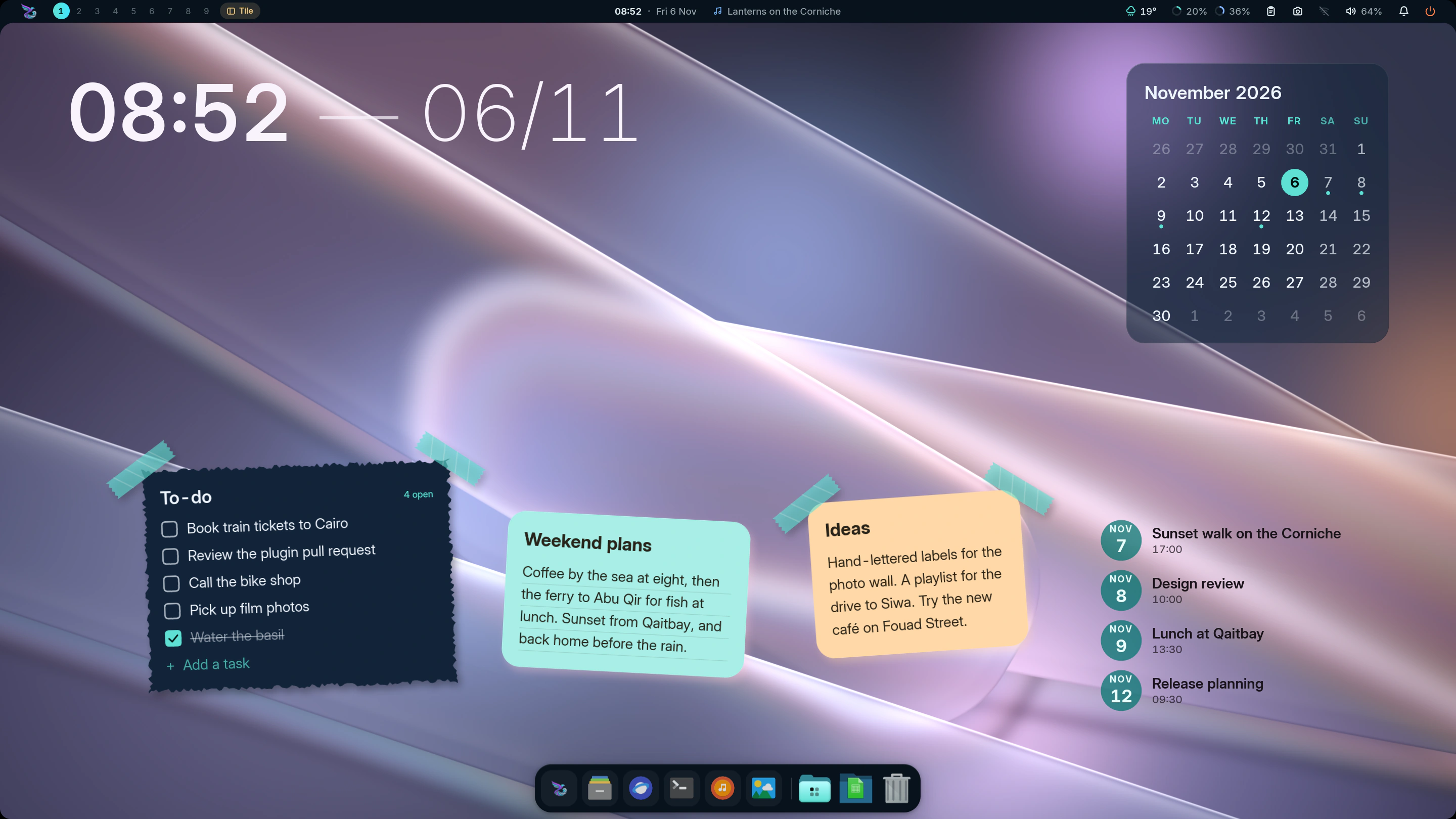
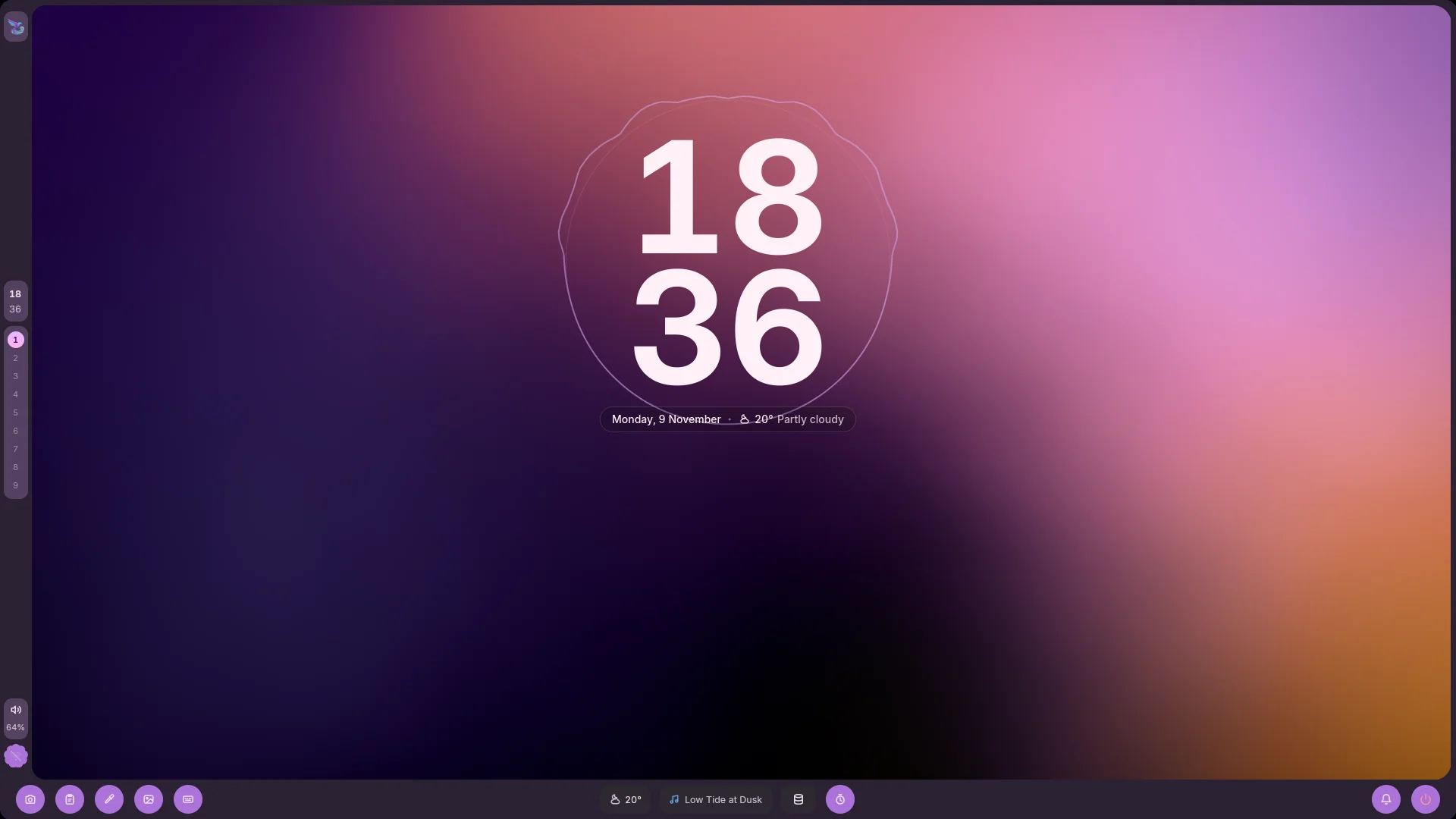
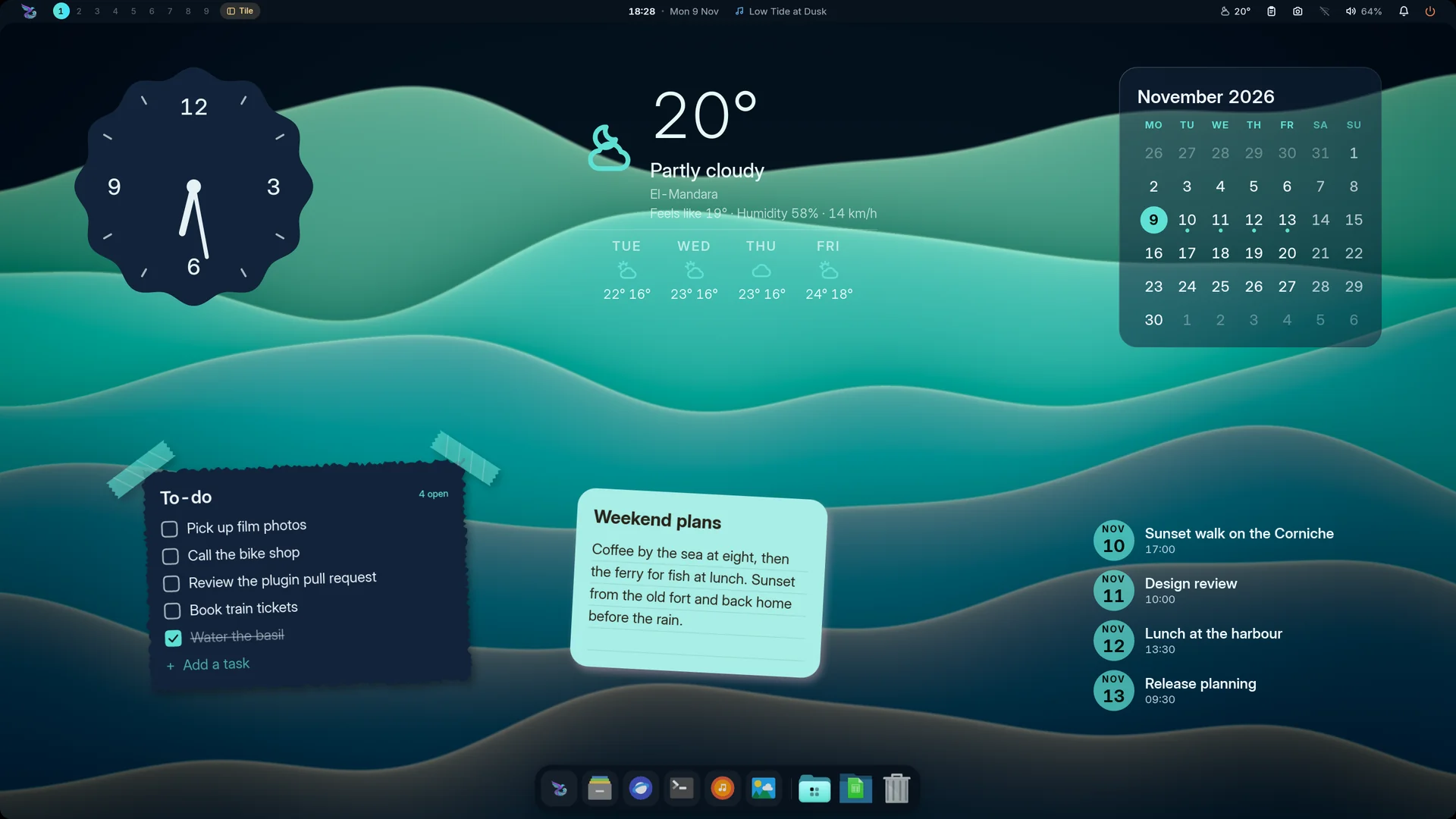
  <img src="docs/screenshots/hero.webp" alt="Mandara Shell desktop over sculpted glass ribbons: the edge-frame bar with rounded screen corners and the song playing, a headline clock, a to-do list taped on torn paper, two sticky notes (Weekend plans and Ideas), a month calendar, the agenda of upcoming events and the dock" width="100%"/>
</p>

<p align="center">
  <a href="docs/install.md"><b>Install</b></a> ·
  <a href="https://thehamdiz.github.io/mandara/">Website</a> ·
  <a href="docs/README.md"><b>Documentation</b></a> ·
  <a href="docs/studio.md">Studio</a> ·
  <a href="docs/plugins.md">Plugins</a> ·
  <a href="docs/commands.md">Commands</a> ·
  <a href="CHANGELOG.md">What's new</a>
</p>

---

**Mandara Shell** is a native Linux Wayland desktop shell, written in Rust
on [GPUI](https://github.com/zed-industries/zed). It's everything around
your windows: the bar, a dynamic island, a dock, a launcher, a sidebar,
notifications, wallpapers, desktop widgets, the lock screen and the login
screen, plus a settings app that changes all of it live. It runs on
**MangoWM, Niri, Hyprland, Umbriel, Sway, River Classic and KWin**, and it's one small, fast program
you install with one command.

Maintenance flags missing icon themes and links to the icon settings.
Studio keeps bar arrangements in their own saved profiles, and screenshots
can capture every display at once. Native KWin support uses Plasma's own
window, clipboard and screenshot interfaces. Icons describe each tool’s
function; sparkle symbols are reserved for AI features.

It's made to feel good to use. Panels pour out of the bar on real spring
physics, colours follow your wallpaper and your music, and the whole
desktop stays responsive throughout your day. With optional local AI control,
type `!switch to dark mode` in the launcher, review the action and press
Enter. Your words stay on your computer; inference runs off the UI thread
and its model worker exits when finished or closed.
[Meet the AI Shell Agent](docs/command-agent.md).

Every plugin panel also has a camera button: copy what you see to the clipboard
with a click, including floating and third-party panels. [Panel images](docs/panel-images.md).

## One shell, many desktops

Pick a bar style, a wallpaper and a few desktop widgets, and Mandara turns
into a different desktop. Each of these takes a minute in Studio, and every
widget can be moved, resized and restyled right on the desktop.
Write notes and edit tasks directly in their widgets, too.
<table>
<tr>
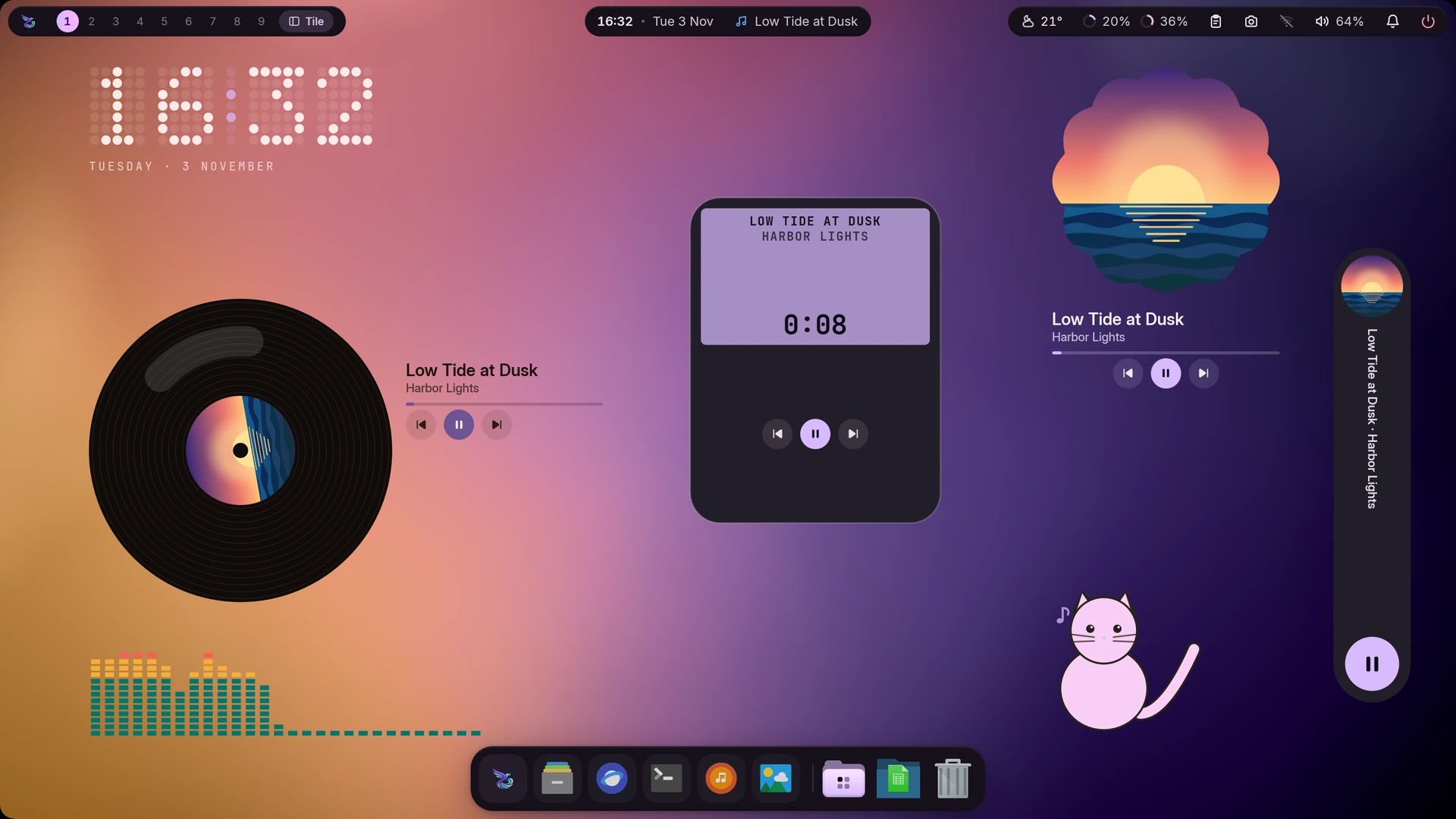
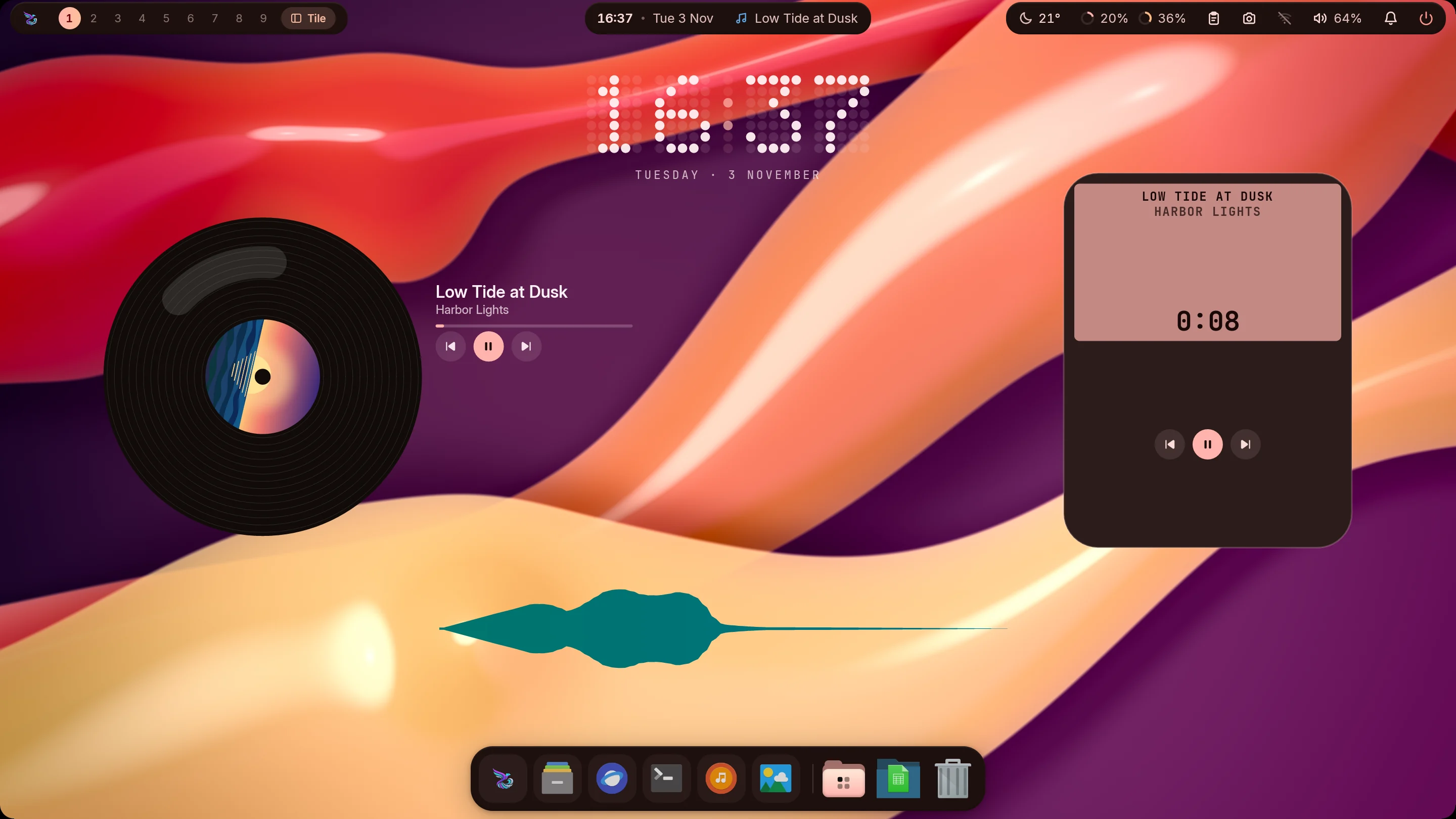
<td width="33%" valign="top"><img src="docs/screenshots/setup-music.webp" alt="A music desktop: floating glass-pill bar, a turning vinyl record with the album art and controls, a pocket player, a dot-matrix clock and a flowing wave visualizer over glossy ribbons in sunset colours" width="100%"/><br/><sub><b>Music corner</b>: glass pills, a turning record, a pocket player and a live wave visualizer.</sub></td>
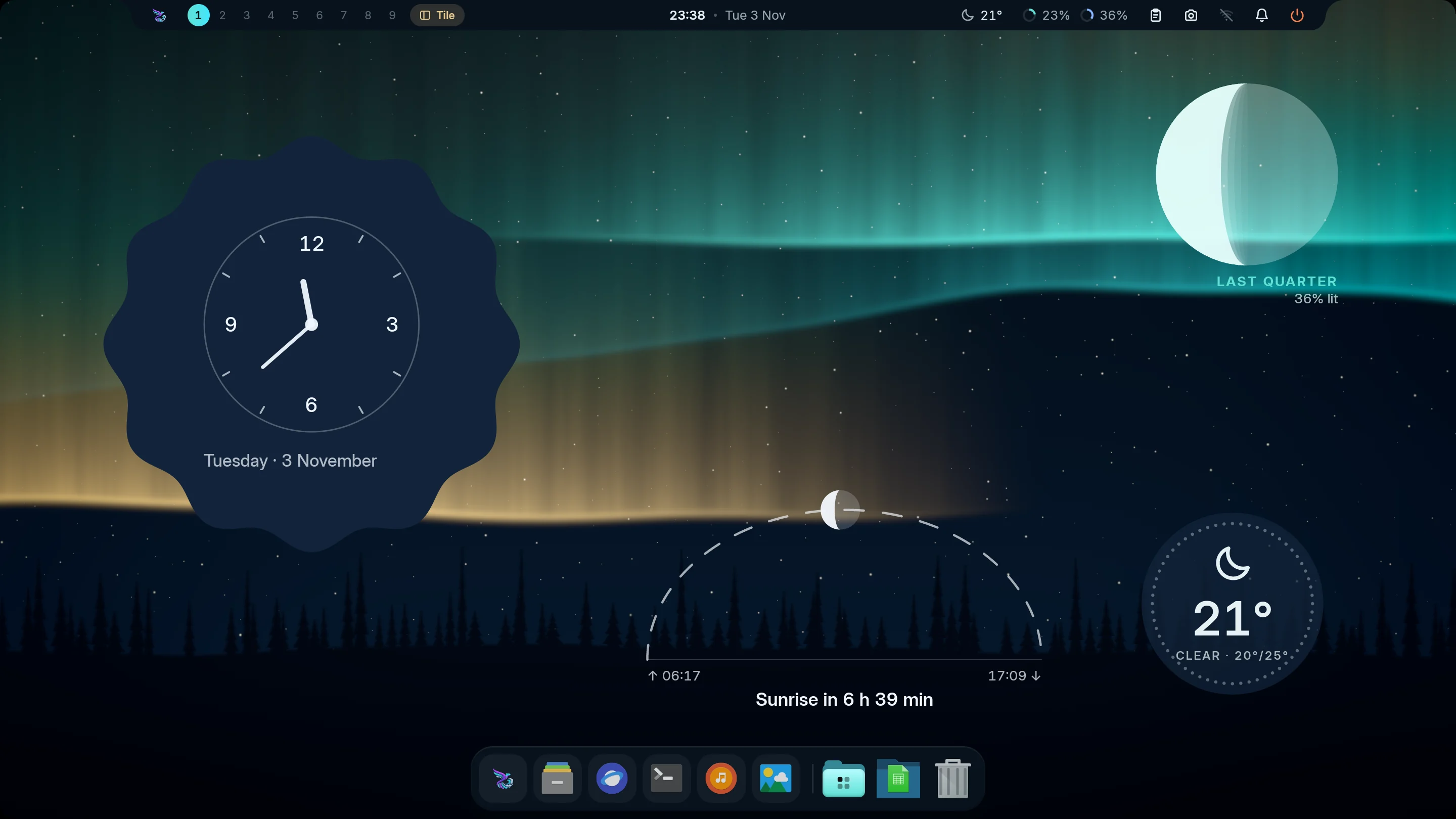
<td width="33%" valign="top"><img src="docs/screenshots/setup-night.webp" alt="A night desktop: the notch bar, an analog clock on a scalloped cookie dial, tonight's moon, the sun's arc with the time to sunrise and a dotted weather disc under the northern lights" width="100%"/><br/><sub><b>Night sky</b>: the notch bar, a cookie-dial clock, the moon, the sun's arc and the weather.</sub></td>
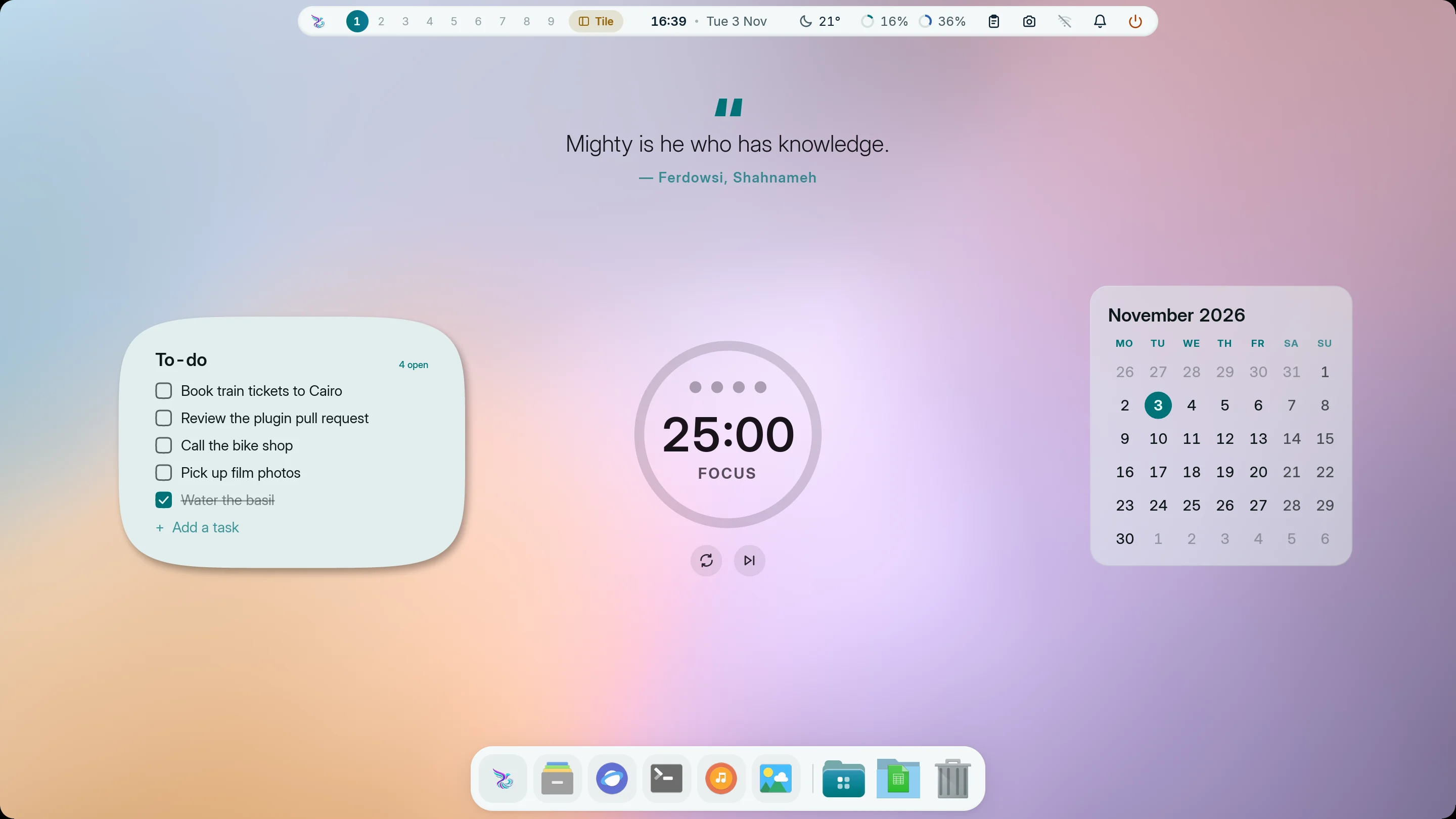
<td width="33%" valign="top"><img src="docs/screenshots/setup-daylight.webp" alt="A light desktop: the island bar, a quote from Ferdowsi's Shahnameh, a to-do list on a soft card, the focus timer and the month calendar over a pastel mesh of rose and lilac, in light mode" width="100%"/><br/><sub><b>Daylight</b>: light mode, the island bar, a quote, your to-dos, the focus timer and the month.</sub></td>
</tr>
</table>

## At a glance

| | |
|---|---|
| **What** | A complete Wayland desktop shell: bar, island, dock, launcher, sidebar, notifications, OSDs, wallpapers, desktop widgets, lock screen, login manager, settings app |
| **Compositors** | MangoWM, Niri, Hyprland, Umbriel, Sway, River Classic (0.3) and KWin, with native drivers; your own config gets one include line at most, nothing more |
| **Built with** | 100 % Rust, one binary (`mandara`), GPU-rendered with GPUI and wgpu |
| **Resources** | [Resource measurements and current limits](docs/performance.md); the 100 MiB startup and operation target remains open |
| **Settings** | `~/.config/mandara/config.toml`, edited live by Mandara Studio (`mandara studio`), with [thirteen colour launcher icons](docs/configuration.md#launcher-button-artwork) |
| **Automation** | `mandara msg <command>` with JSON replies; `mandara commands --json` lists them all |
| **Plugins** | 81 built in; third-party plugins in Rust, compiled to sandboxed WebAssembly |
| **Widgets** | Mechanical, word and binary clocks, calendar cards and weather dials; passive widgets can also decorate Mandara Login and the native lock screen |
| **Languages** | 20, including right-to-left Arabic, Persian and Urdu |
| **License** | GPL-3.0-or-later |

## What sets Mandara apart

Mandara is built for one job: being the complete desktop for **MangoWM,
Niri, Hyprland, Umbriel, Sway, River Classic and KWin**. These are the strengths it was designed
around, each one measured or shipped today:

1. **Seven compositors, each first-class.** It speaks every compositor's
   own IPC natively: MangoWM's and River's tag bitmasks (view, toggle-view,
   tag moves), Niri's scrolling columns, Hyprland's, Umbriel's and Sway's
   workspaces, and KWin's native Plasma window and virtual-desktop protocols. It reads
   each compositor's version and writes its exact config dialect, down to
   Hyprland 0.57's Lua config.
2. **It never breaks your compositor config.** It adds one include line
   (none on River or KWin); River settings use its native protocol, while
   KWin settings stay in Plasma System Settings. For the other compositors,
   everything else goes into its own drop-in files. Every change is
   checked by the compositor's own validator (`mango -p`, `niri validate`,
   `Hyprland --verify-config`, `umbriel config validate`, `sway --validate`)
   and rolled back if it objects.
3. **A whole desktop in one native binary.** Bar, dynamic island, dock,
   launcher, side bars and sidebar, notification center, on-screen
   displays, wallpaper engine, desktop widgets, clipboard manager,
   screenshots, screen recording, offline OCR, polkit agent, lock screen,
   login manager and a settings app: one Rust program, no QML, JavaScript,
   Python or shell glue.
4. **Measure the whole desktop.** Resource use depends on your display,
   driver and active widgets; the 100 MiB startup and operation target remains open.
   Plugin views reuse clipboard layouts, media gesture state and network
   history. Image previews decode in bounded workers and release their caches
   after closing. Earlier frame builds measured around 0.1 ms; historical
   results and their exact setup are recorded alongside current limitations.
   [How it's measured](docs/performance.md)
5. **Real motion.** Analytical spring physics that can be interrupted
   mid-flight, and OKLCH colour blending, so every morph, slide and theme
   change stays smooth.
6. **Every setting live, in a real app.** Mandara Studio has 30 pages; drag
   a slider and the bar follows as you drag. Nothing needs a config file
   unless you want one.
7. **A colour engine, not a colour picker.** Material You (HCT) palettes
   from your wallpaper, hand-tuned themes, and opt-in theming of Ghostty,
   GTK 3/4, Qt 5/6, Kvantum, Zed, kitty, foot, Alacritty, btop, Cava,
   tmux, Zellij and Spicetify. [App setup](docs/app-themes.md).
   [Motion controls](docs/motion.md) include spring presets, a live preview
   and per-surface speeds, with optional system accessibility preferences.
8. **Your desktop, your look.** Six bar styles on any edge, side bars that
   join the top bar into one frame, one-click Looks, dozens of desktop
   widgets placed per monitor, and three launcher looks. Attached launchers follow
   compact bars, with a placement map in Studio.
9. **Safe, rich extensions.** 81 plugins built in. Third-party plugins are
   Rust compiled to sandboxed WebAssembly: a crashing plugin is switched
   off and the shell keeps running. Qur’an, Hadith and Jannah can also
   [copy complete reading cards as images](docs/plugins.md#jannah-quran-hadith-and-prayer-times).
10. **Scriptable end to end.** Almost everything the interface does is a
    `mandara msg` command with JSON replies, so scripts and AI agents can
    drive and inspect the whole desktop. [How](docs/agent-ready.md)
11. **Installs and updates itself, safely.** One command sets it up on Arch,
    Debian/Ubuntu, Fedora, openSUSE, Void, Alpine, Gentoo and Solus,
    takes over an existing setup without losing it, and updates arrive as
    small, signed binary patches from Studio → About → Update now. NixOS
    gets a flake with NixOS and Home Manager modules, updated through the
    flake. The Updates panel updates your whole system too, AUR packages
    included, with live progress and Mandara's own password dialog, and
    manages NixOS generations. [How](docs/apps-and-updates.md#system-updates)
12. **Made for everyone.** 20 interface languages, right-to-left Arabic,
    Persian and Urdu included, and fonts chosen for every script it shows.

## Why you'll like it

- **It's light.** Plugins load data when needed, and hidden panels stop
  their refresh work. [Measurements and setup](docs/performance.md)
- **It looks the way you want.** Six bar styles, eight presets that reshape
  the bar completely (a framed bar with a rail of scalloped buttons, a dock
  of squircle tiles, a flower rail, rows of connected tiles, a monitoring
  status line, three floating docks, a notch hanging from the top, a top
  bar joined to a rail), side bars of
  icons and pills that join the top bar into one frame, one-click Looks, desktop widgets, a hundred dials for
  corners, glass and motion, and themes made from your wallpaper.
  [Your desktop](docs/desktop.md)
- **Everything is a click away in Studio.** 30 pages of settings, all
  live: drag a slider and the bar follows as you drag.
  [Mandara Studio](docs/studio.md)
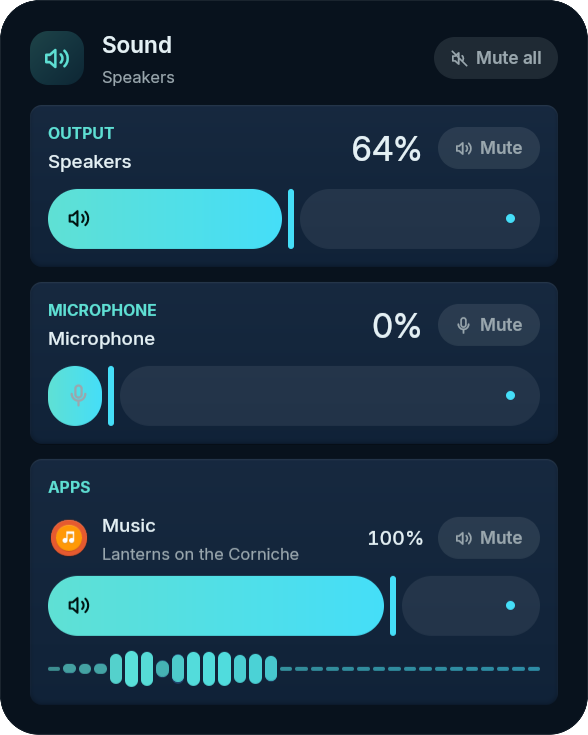
- **It does a lot out of the box.** A media island with lyrics, a sound
  mixer per app, screenshots and screen recording, copying text from the
  screen, a launcher with three looks (a list, an icon grid or a centred
  Spotlight-style search bar), a clipboard that sorts what you copy, a
  drag-and-drop app installer, night light, and 81 built-in plugins.
  [Everything else](docs/more-features.md)
- **It welcomes you in.** A matching lock screen and login screen with
  your own wallpaper, and ready-made looks for both.
  [Lock screen and login](docs/lock-and-login.md)
- **It speaks your language.** Twenty languages, with Arabic, Persian
  and Urdu laid out right to left. [Languages](docs/languages.md)
- **It plays well with scripts and AI agents.** Nearly everything the
  interface does is also a command with JSON replies.
  [Automation](docs/agent-ready.md)

## A look around

<table>
<tr>
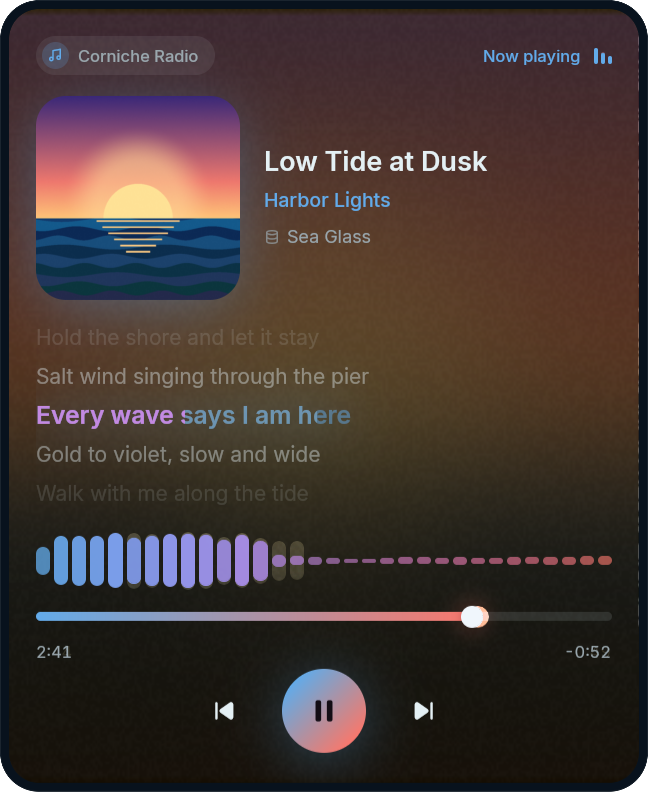
<td width="50%" valign="top"><img src="docs/screenshots/media.png" alt="Media island" width="100%"/><br/><sub><b>Media</b>: colours from the album art, a live spectrum and synced lyrics.</sub></td>
<td width="50%" valign="top"><img src="docs/screenshots/audio.png" alt="Sound panel with per-app volume" width="100%"/><br/><sub><b>Sound</b>: choose speakers and microphones, then adjust each app’s volume.</sub></td>
</tr>
<tr>
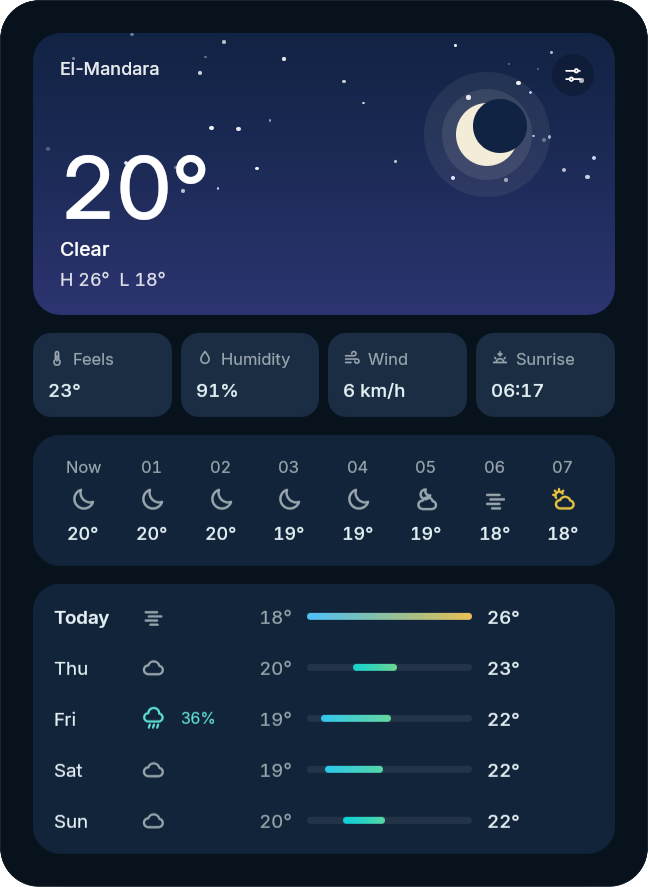
<td width="50%" valign="top"><img src="docs/screenshots/weather.png" alt="Weather" width="100%"/><br/><sub><b>Weather</b>: an animated sky, hourly and five-day forecasts.</sub></td>
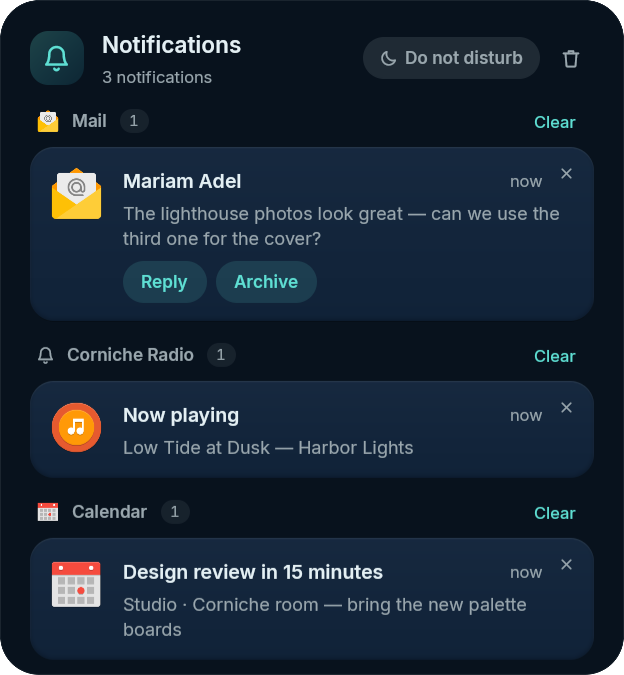
<td width="50%" valign="top"><img src="docs/screenshots/notifications.png" alt="The notification center: notifications grouped by app (Mail with Reply and Archive actions, Corniche Radio, Calendar), do not disturb and clear" width="100%"/><br/><sub><b>Notifications</b>: grouped by app, with do not disturb.</sub></td>
</tr>
</table>

### Bar styles

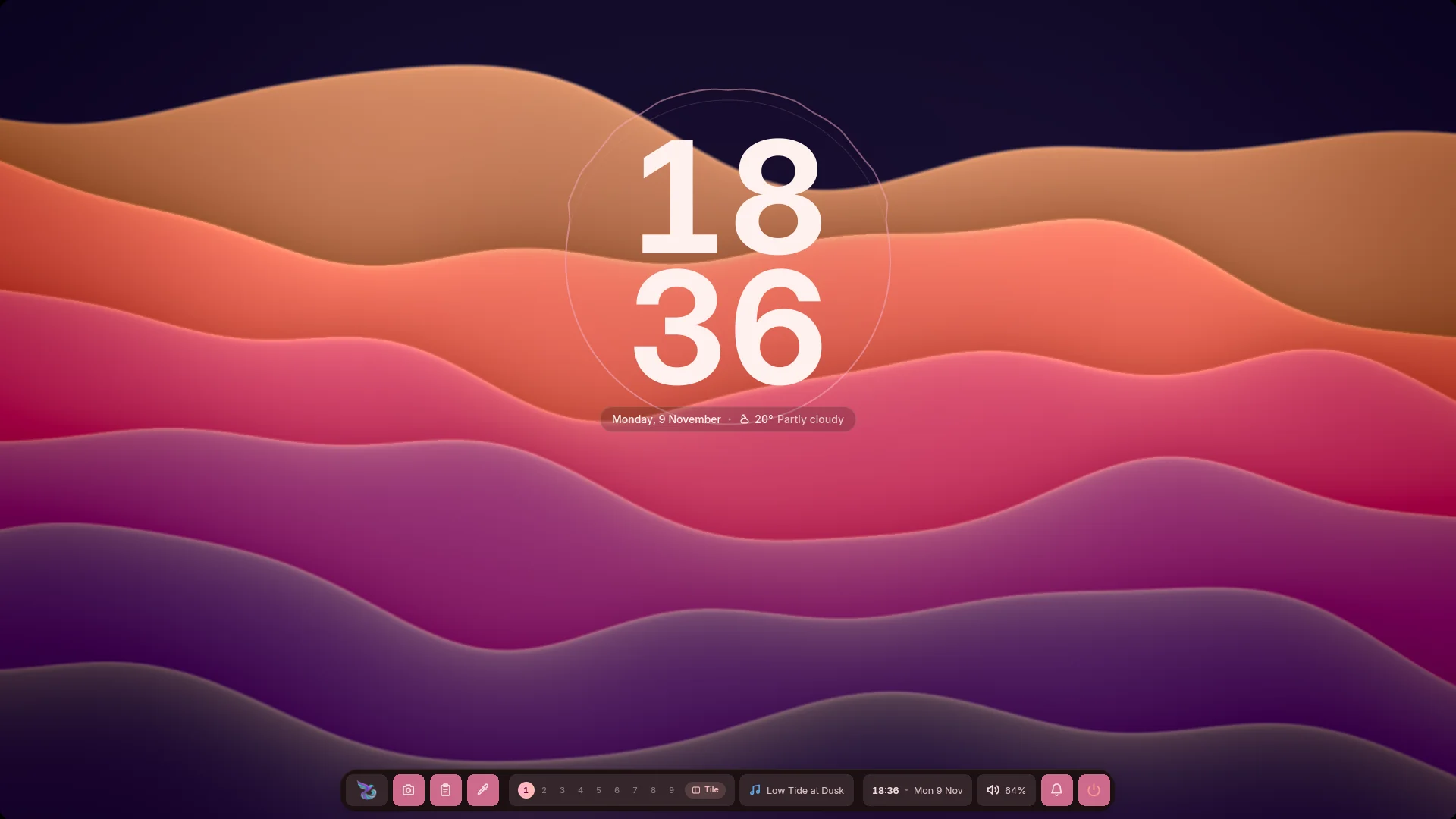
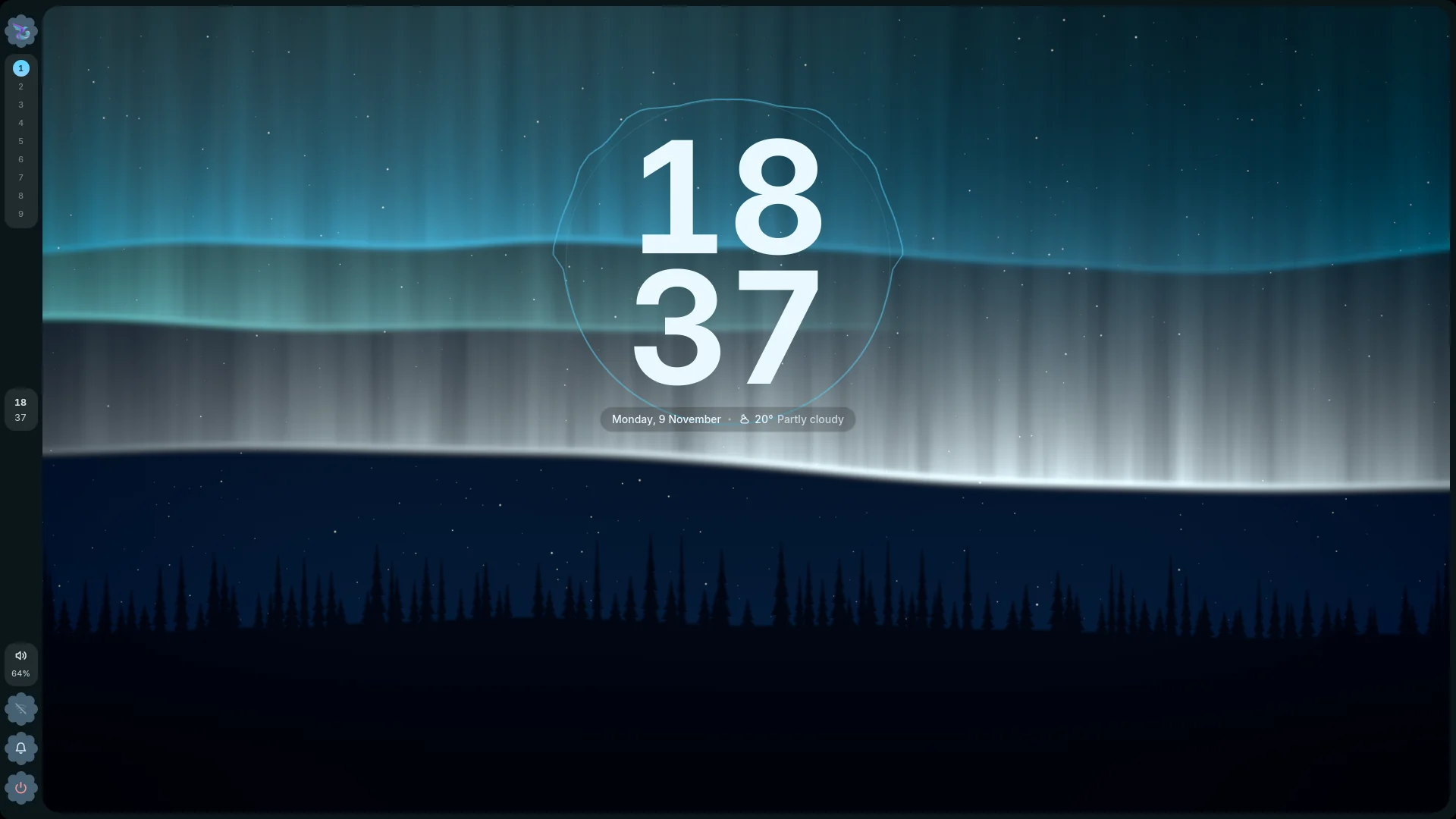
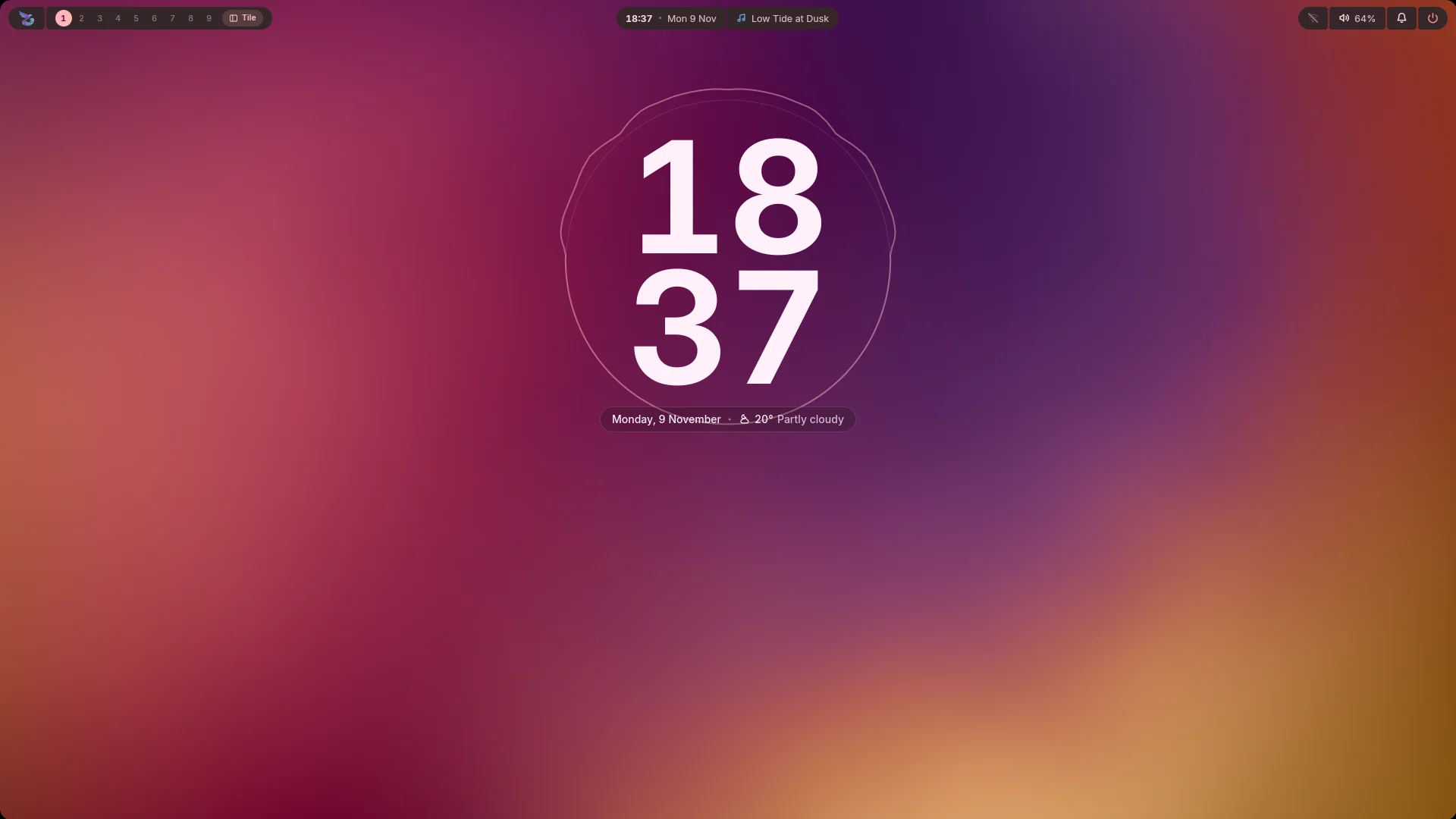
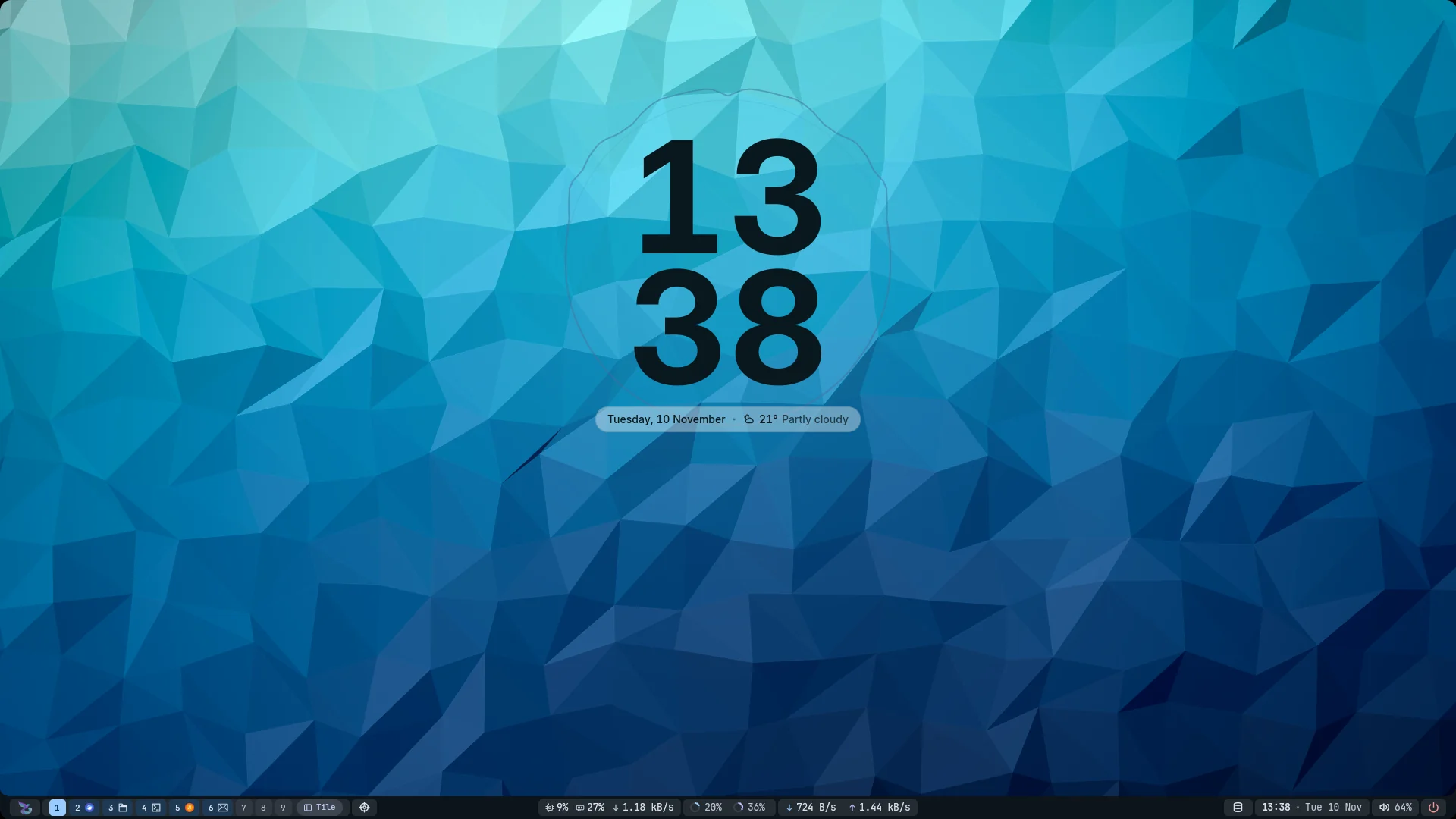
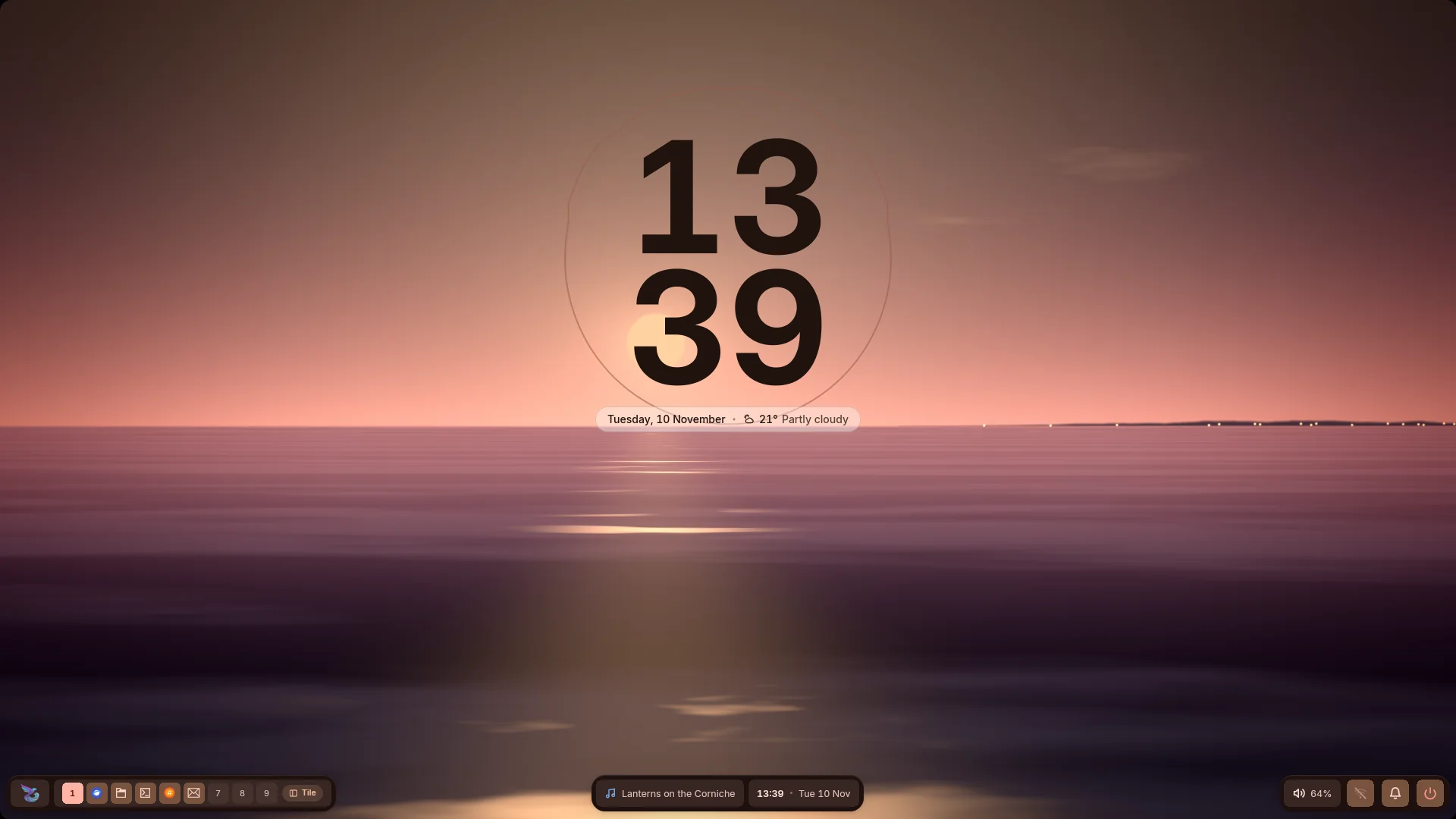
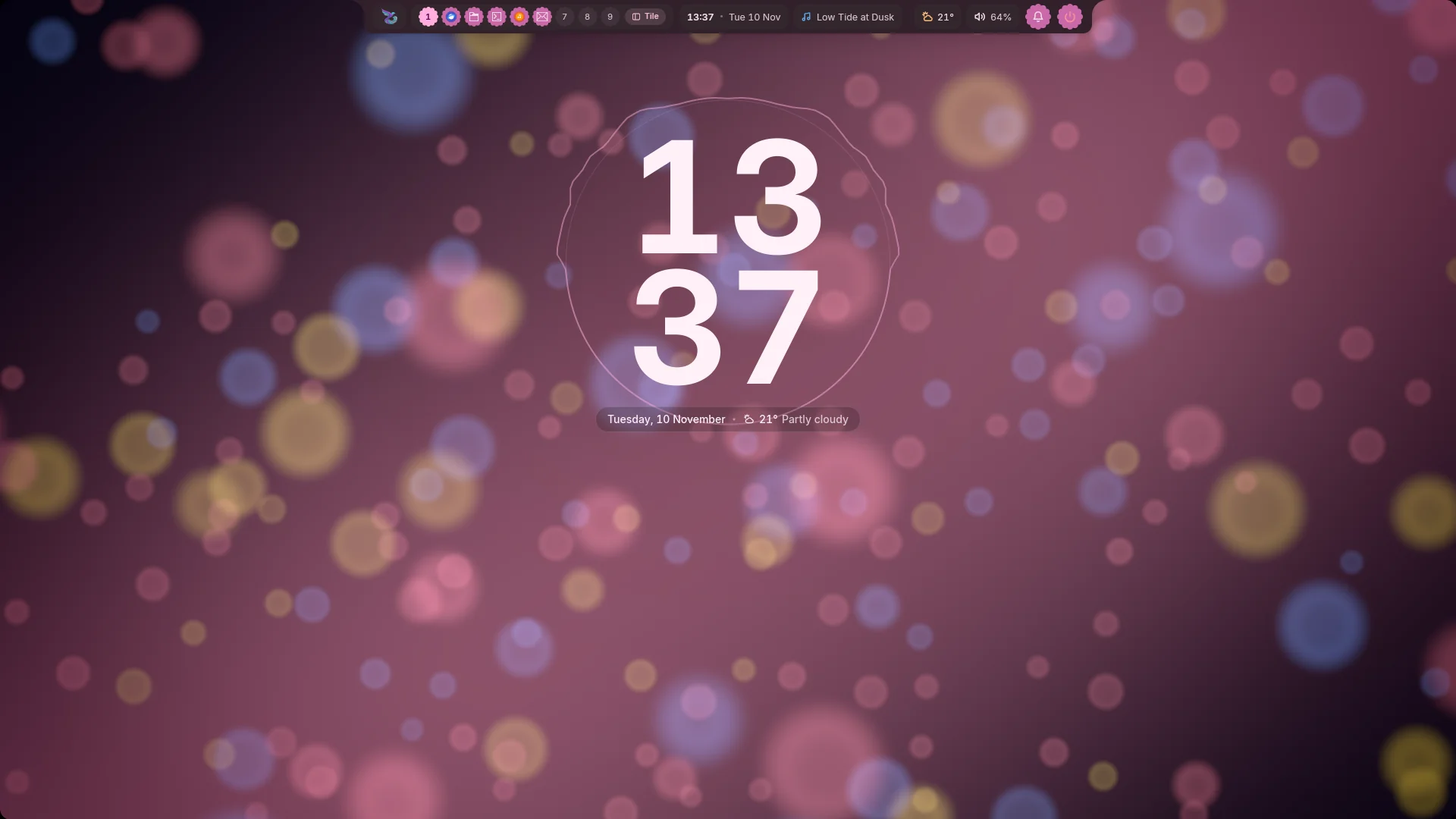
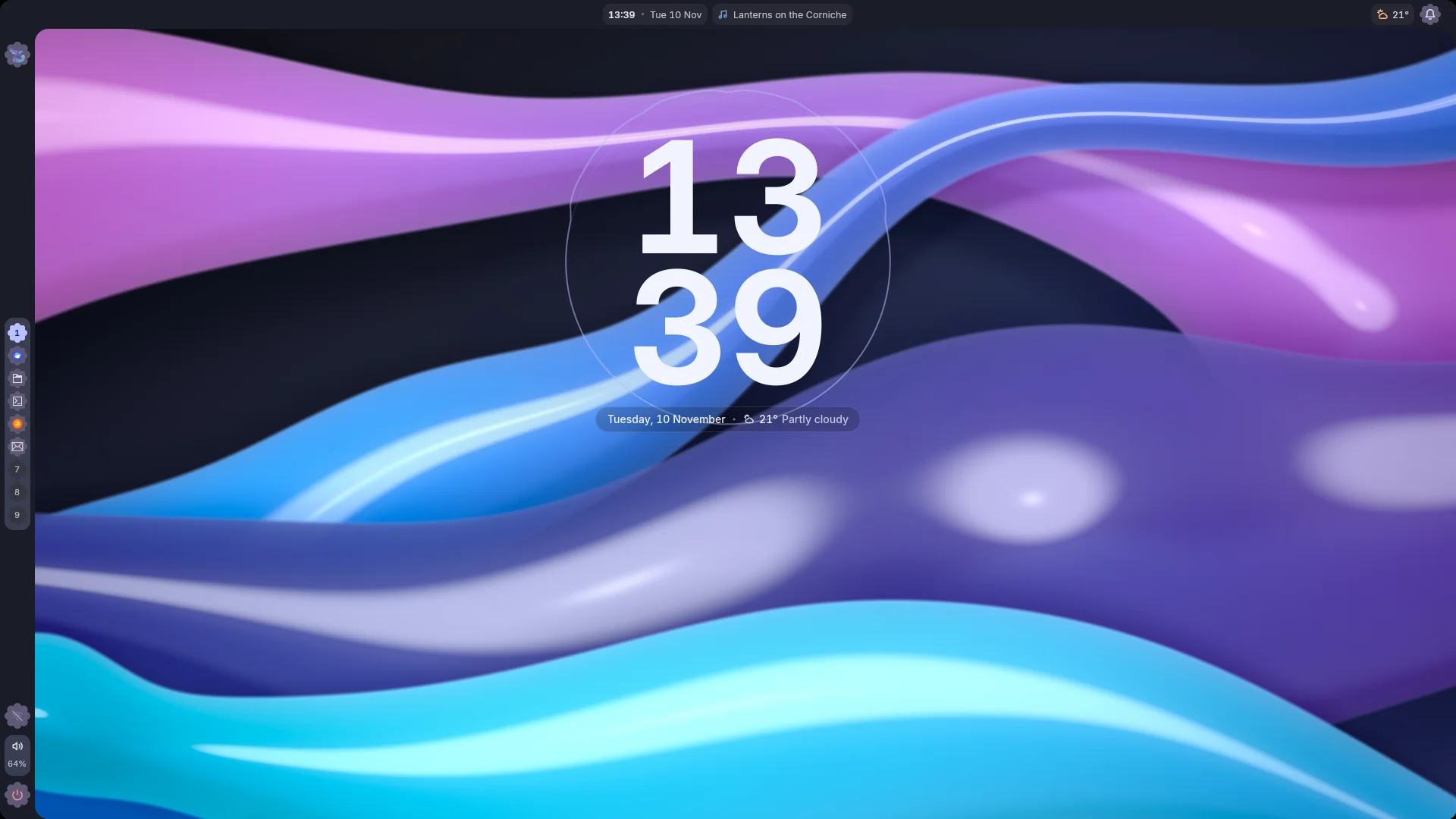
Eight presets reshape the whole bar in one click: pick one in **Studio →
Bars → Presets**, or run `mandara msg bar style <name>`. Every style shows
the icon of the app on each workspace and tag button. Each side bar can
take one of its own (`mandara msg side-bar style right <name>`).

<table>
<tr>
<td width="50%" valign="top"><img src="docs/screenshots/bar-style-expressive.webp" alt="The Expressive bar style: a tall bottom bar inside a thin frame round the screen, joined to a rail on the left, with round accent buttons, tonal tiles and scalloped badges" width="100%"/><br/><sub><b>Expressive</b> (<code>expressive</code>): round buttons and tonal tiles in a framed bar, with a scalloped rail.</sub></td>
<td width="50%" valign="top"><img src="docs/screenshots/bar-style-tile-dock.webp" alt="The Tile dock bar style: one floating island of large squircle tiles at the bottom of the screen" width="100%"/><br/><sub><b>Tile dock</b> (<code>tile-dock</code>): one floating island of large squircle tiles.</sub></td>
</tr>
<tr>
<td width="50%" valign="top"><img src="docs/screenshots/bar-style-rail.webp" alt="The Rail bar style: a wide rail on the left edge with flower-shaped buttons and tiles, inside a thin screen frame" width="100%"/><br/><sub><b>Rail</b> (<code>rail</code>): a wide left rail of flower buttons in a screen frame.</sub></td>
<td width="50%" valign="top"><img src="docs/screenshots/bar-style-segmented.webp" alt="The Segmented bar style: no bar, just rows of connected tiles under the top edge" width="100%"/><br/><sub><b>Segmented</b> (<code>segmented</code>): no bar, just rows of connected tiles.</sub></td>
</tr>
<tr>
<td width="50%" valign="top"><img src="docs/screenshots/bar-style-system-monitor.webp" alt="The System monitor bar style: a slim bar along the bottom of the screen where every reading sits on a square stat block in a monospace font, with CPU and memory rings, network rates and app icons on the workspace buttons" width="100%"/><br/><sub><b>System monitor</b> (<code>system-monitor</code>): a slim bottom status line of stat blocks, meters and rates.</sub></td>
<td width="50%" valign="top"><img src="docs/screenshots/bar-style-stanley-bridge.webp" alt="The Stanley Bridge bar style: three floating docks of squircle tiles spanning the bottom of the screen, with app icons on the workspace tiles" width="100%"/><br/><sub><b>Stanley Bridge</b> (<code>stanley-bridge</code>): three floating docks of squircle tiles along the bottom.</sub></td>
</tr>
<tr>
<td width="50%" valign="top"><img src="docs/screenshots/bar-style-pharos-beam.webp" alt="The Pharos Beam bar style: a half-width notch hanging from the top edge, with scalloped accent buttons, tonal tiles and app icons on the workspace buttons" width="100%"/><br/><sub><b>Pharos Beam</b> (<code>pharos-beam</code>): a notch of scalloped buttons and tonal tiles hanging from the top.</sub></td>
<td width="50%" valign="top"><img src="docs/screenshots/bar-style-raml-tram.webp" alt="The Raml Tram bar style: a top bar joined to a rail down the left edge, with flower-shaped buttons and app icons on the workspace buttons" width="100%"/><br/><sub><b>Raml Tram</b> (<code>raml-tram</code>): a top bar joined to a left rail of flower buttons.</sub></td>
</tr>
<tr>
<td colspan="2" align="center"><img src="docs/screenshots/bar-style-side-bars.webp" alt="A Segmented top bar of connected tiles beside a right side bar styled as a Tile dock, with squircle tiles" width="50%"/><br/><sub><b>Side bars</b> take a style of their own: here a Tile dock rail beside a Segmented bar.</sub></td>
</tr>
</table>

<p align="center">
  <picture>
    <source media="(prefers-color-scheme: dark)" srcset="docs/screenshots/looks-dark.webp"/>
    <source media="(prefers-color-scheme: light)" srcset="docs/screenshots/looks-light.webp"/>
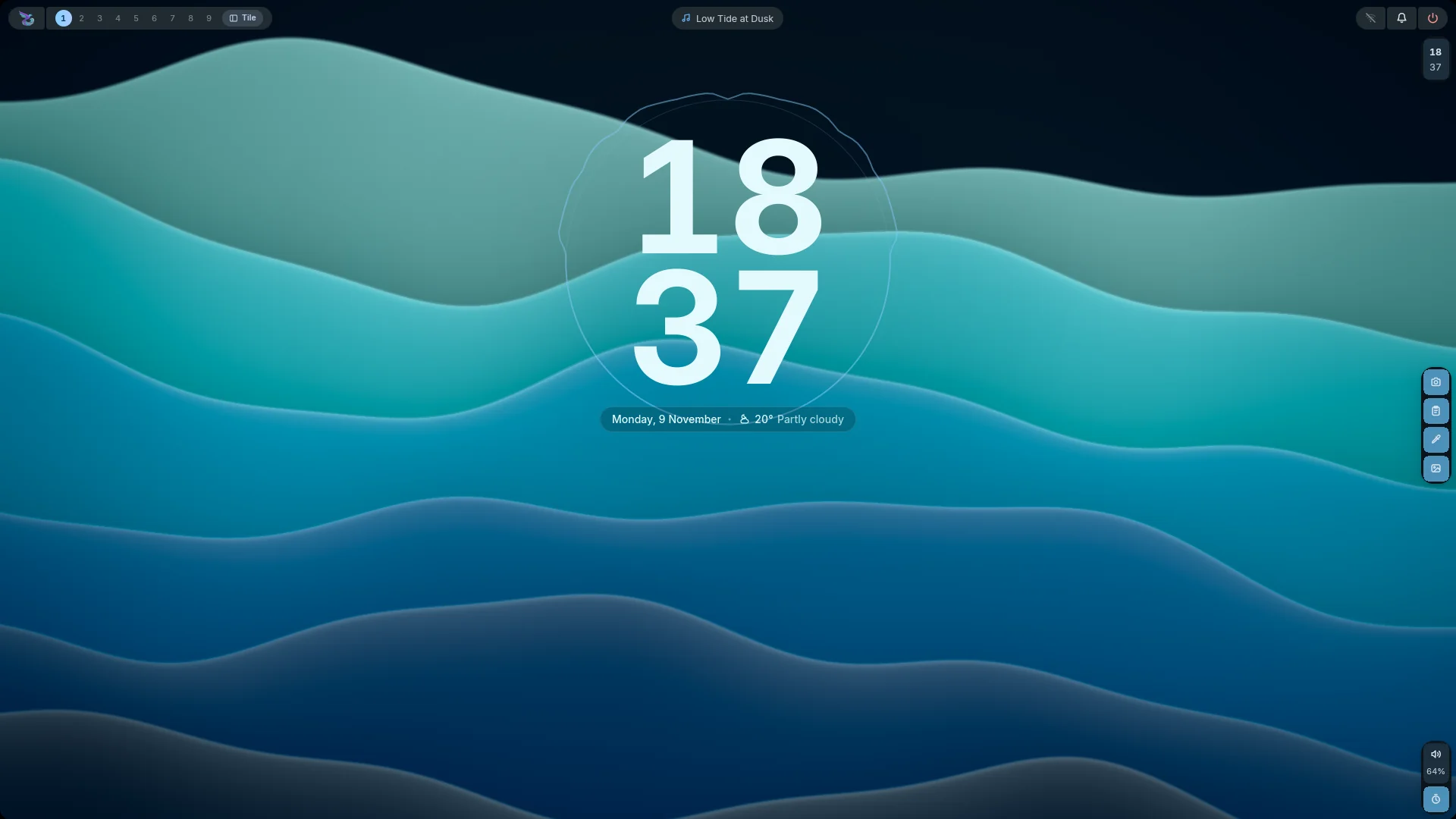
    <img src="docs/screenshots/looks-light.webp" alt="The six Looks, each on a wallpaper of its own: Corniche Dusk (glass pills and a headline clock over a rose sunset), Pharos Ink (a hairline bar over ink contours), Montaza Crimson (an Arabic clock over a red and amber glow), Qaitbay Forest (a giant stacked clock over green hills), Anfushi Wave (a glowing wave over layered sea) and Night Frame (a side bar framing the northern lights), in dark mode or light mode to match your page" width="100%"/>
  </picture>
  <br/>
  <sub>Six Looks, one click each: the bar, widgets, colours and fonts change together.</sub>
</p>

<table>
<tr>
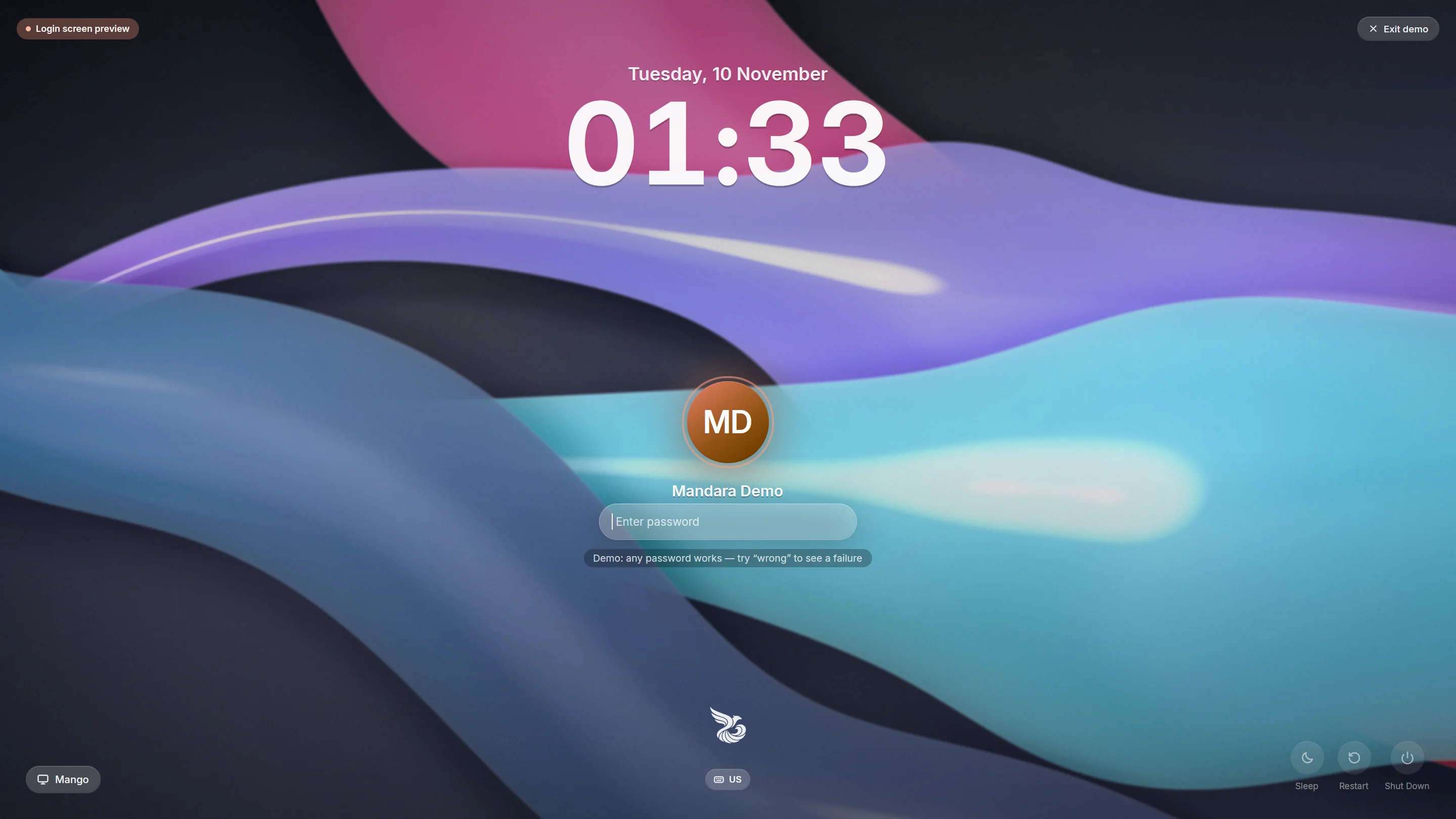
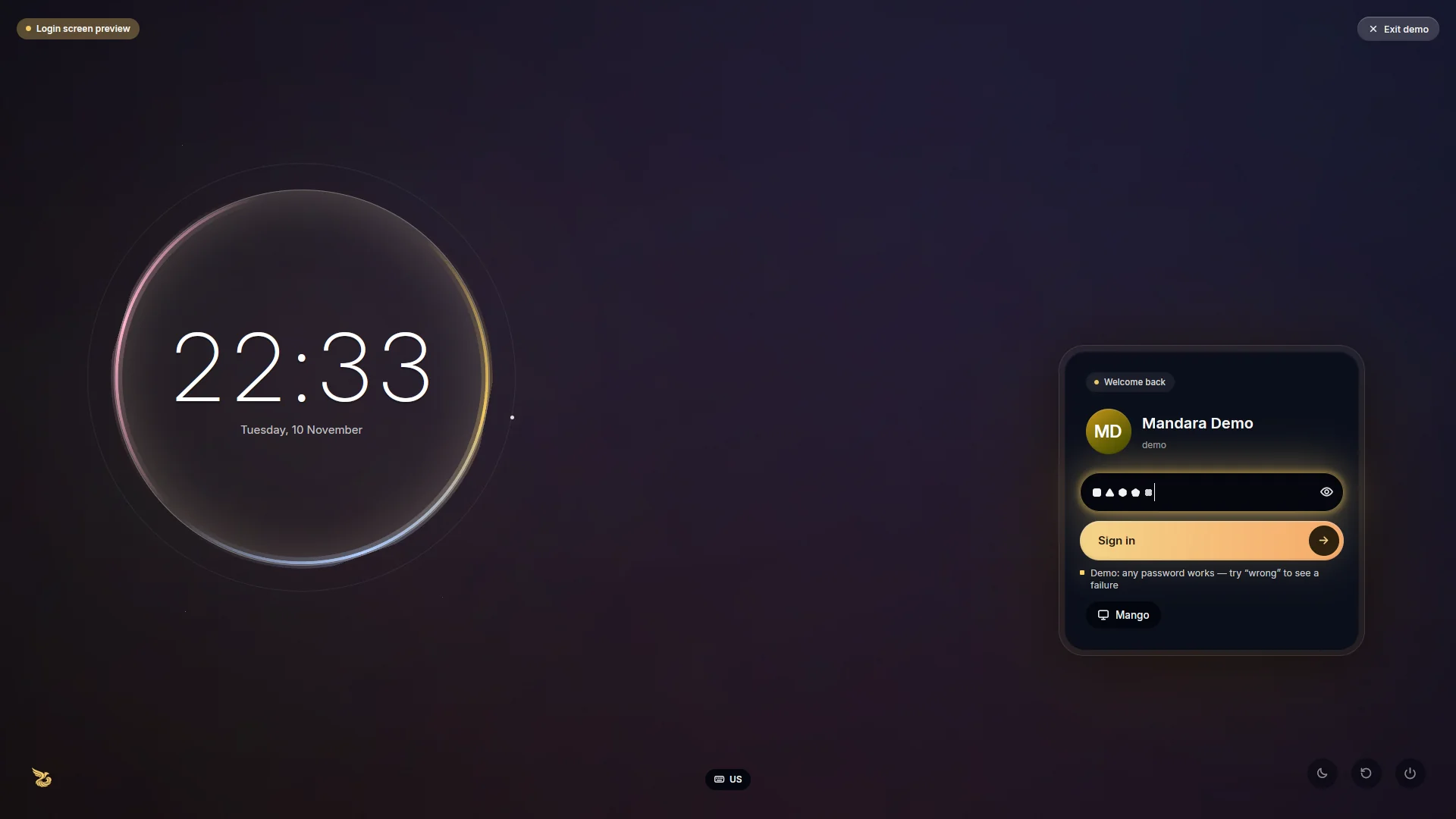
<td width="33%" valign="top"><img src="docs/screenshots/greeter.webp" alt="Mandara Login in its Mandara design: a big clock, the avatar and a glass password field floating over glossy cyan, violet and pink ribbons, with the Mandara emblem above the keyboard pill" width="100%"/><br/><sub><b>Mandara Login</b>, the login screen: the <b>Mandara</b> design</sub></td>
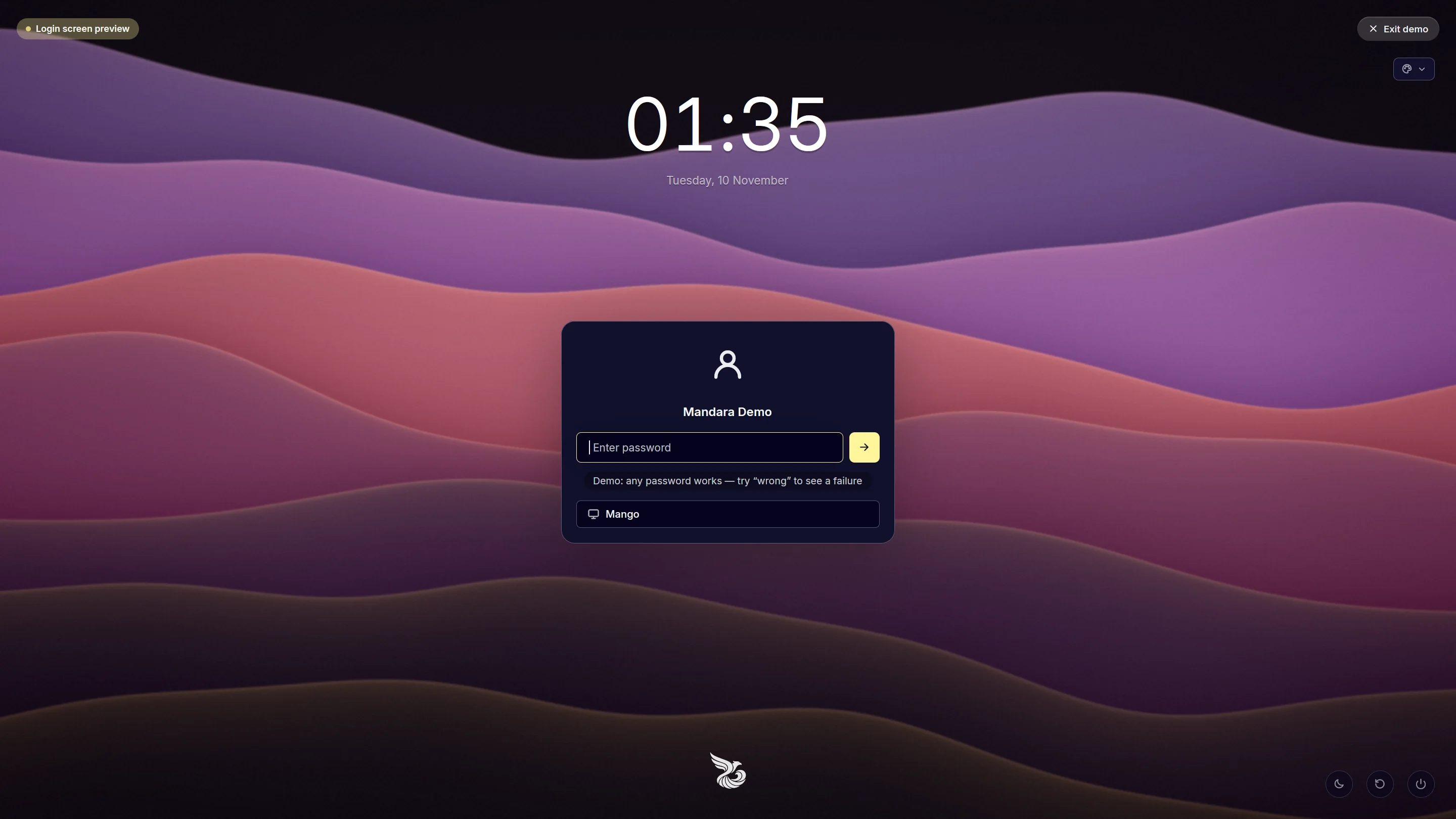
<td width="33%" valign="top"><img src="docs/screenshots/greeter-midnight.webp" alt="Mandara Login in its Midnight card design: a quiet clock over one outlined card with the user, password and session, in midnight navy and citrine over violet and coral dusk waves" width="100%"/><br/><sub>…its <b>Midnight card</b> design</sub></td>
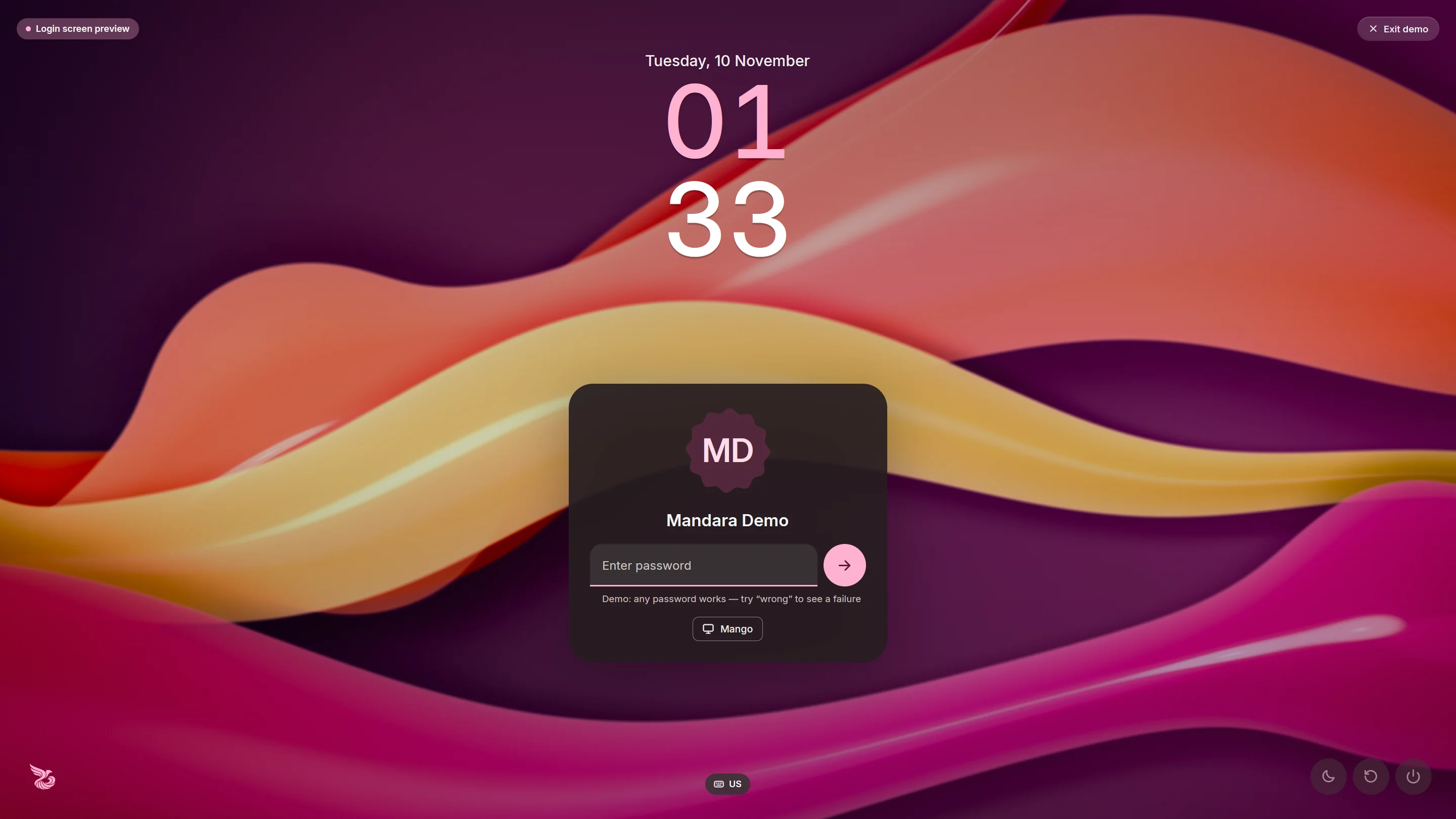
<td width="33%" valign="top"><img src="docs/screenshots/greeter-material-you.webp" alt="Mandara Login in its Material You design: a big stacked clock with the hours in pink, and a tonal card with the scalloped avatar, a filled password field, a round sign-in button and a session chip, in colours taken from coral, gold and magenta ribbons" width="100%"/><br/><sub>…its <b>Material You</b> design</sub></td>
</tr>
<tr>
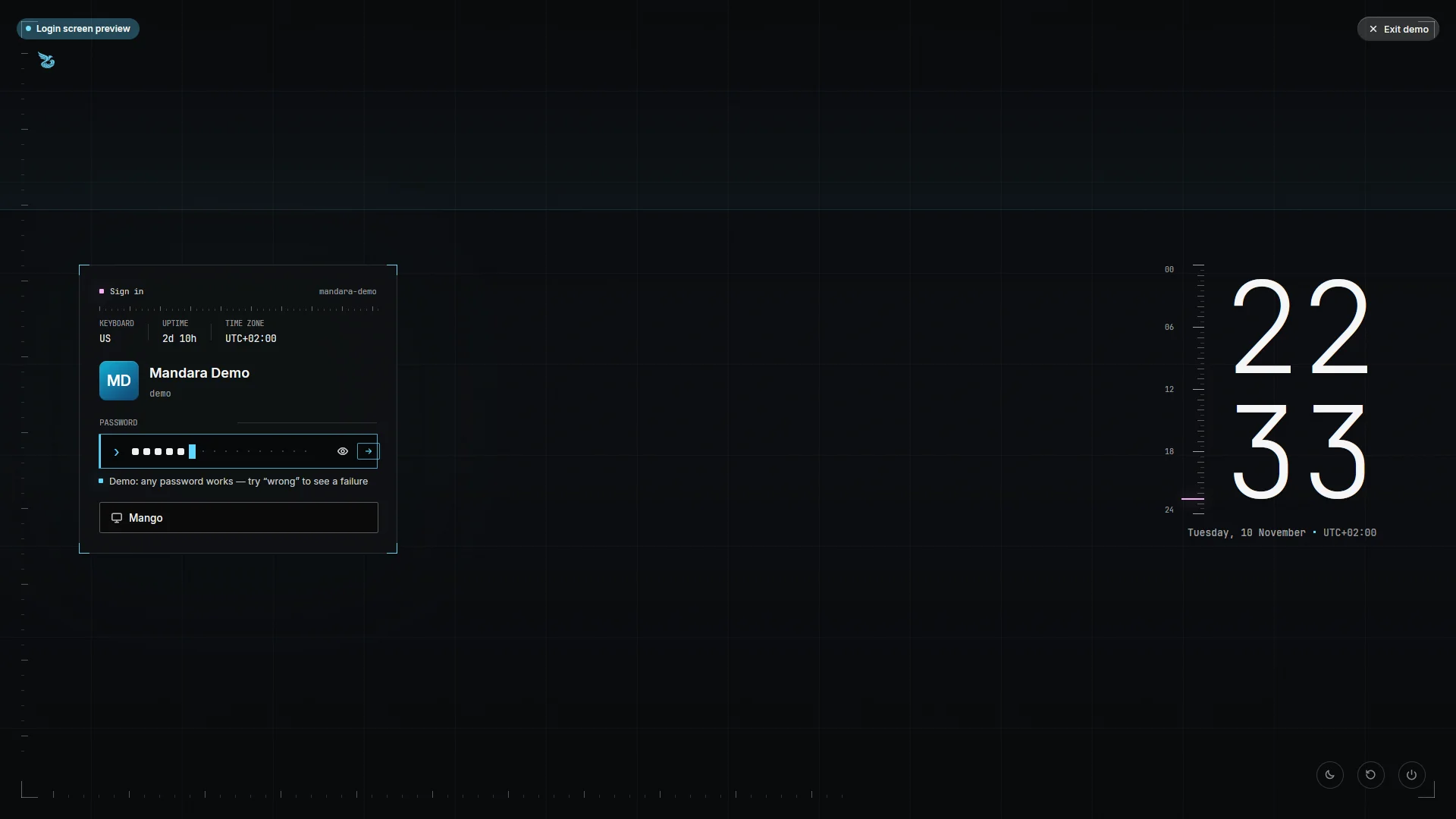
<td width="33%" valign="top"><img src="docs/screenshots/greeter-ghostline.webp" alt="Mandara Login in its Ghostline design: on graphite with ice-white hairlines, a bracketed wireframe sign-in panel on the left with live readouts of the keyboard layout, uptime and time zone and a terminal password line of segmented cells, and on the right a thin stacked clock beside a ruler of the day" width="100%"/><br/><sub>…<b>Ghostline</b>, sign-in on the left in a wireframe panel</sub></td>
<td width="33%" valign="top"><img src="docs/screenshots/greeter-chrome-halo.webp" alt="Mandara Login in its Chrome Halo design: on deep ink with soft holographic light, a light clock inside a luminous ring of iridescent arcs on the left, and on the right a machined double-bezel sign-in module with a glowing field and a gold pill button" width="100%"/><br/><sub>…<b>Chrome Halo</b>, a ring of light and a machined module on the right</sub></td>
<td width="33%" valign="top"><picture><source media="(prefers-color-scheme: light)" srcset="docs/screenshots/greeter-meridian-light.webp"/><img src="docs/screenshots/greeter-meridian.webp" alt="Mandara Login in its Meridian design: no boxes, the name and the typed characters set on one hairline across a calm field at the golden height, small words for the session, power and date at its ends, over enormous faint numerals" width="100%"/></picture><br/><sub>…and <b>Meridian</b>, everything on one line, light or dark</sub></td>
</tr>
</table>

<table>
<tr>
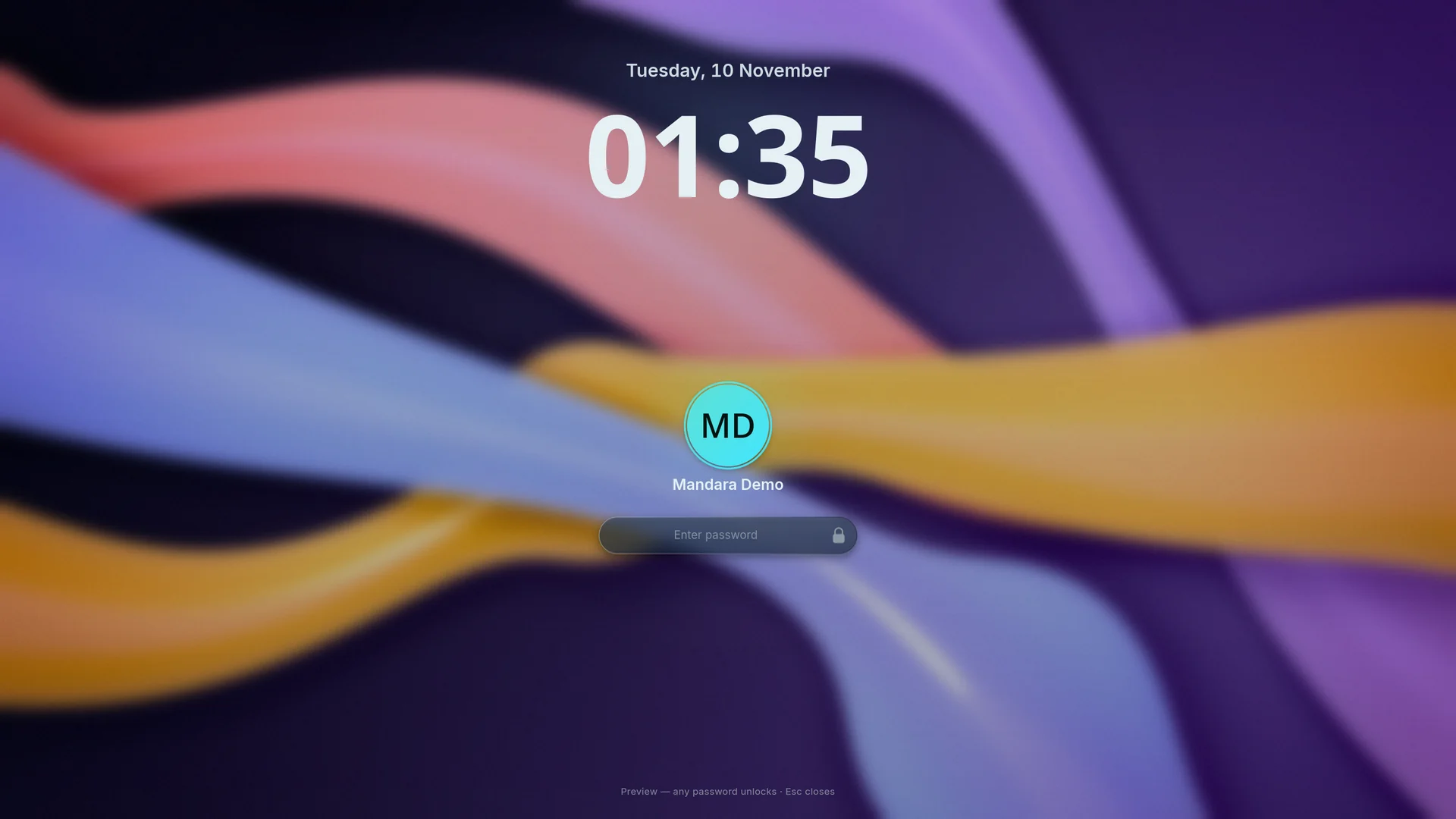
<td width="50%" valign="top"><img src="docs/screenshots/lock-screen.webp" alt="The lock screen in its Mandara design over blurred coral, violet and gold ribbons: the date, a big clock, the avatar and the glass password field" width="100%"/><br/><sub><b>The lock screen</b>, made to match: the <b>Mandara</b> design</sub></td>
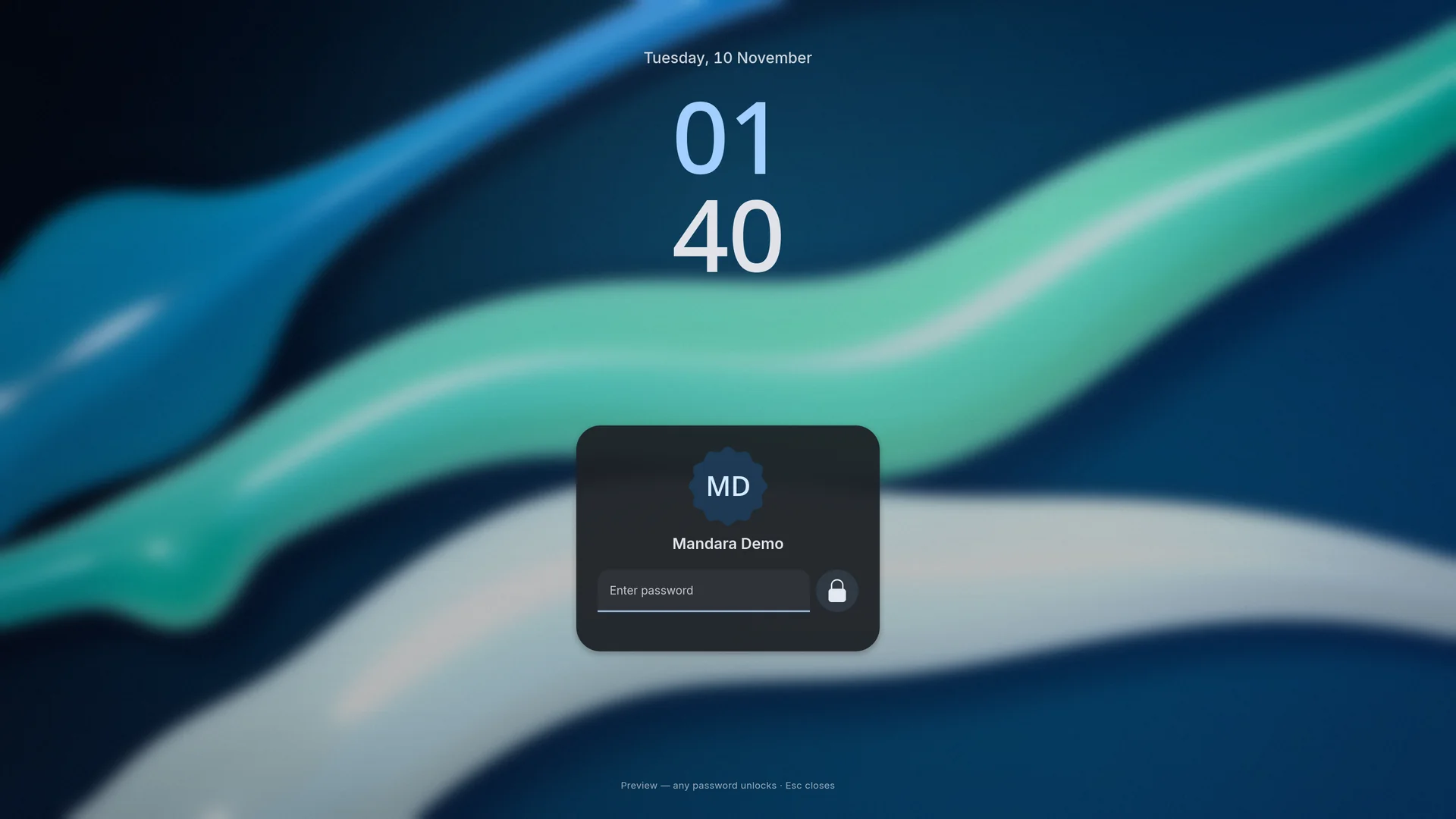
<td width="50%" valign="top"><img src="docs/screenshots/lock-screen-material-you.webp" alt="The lock screen in its Material You design over blurred blue and teal ribbons: the date, a big stacked clock, and a tonal card with the scalloped avatar, a filled password field and a round button" width="100%"/><br/><sub>…and its <b>Material You</b> design</sub></td>
</tr>
</table>

<p align="center">
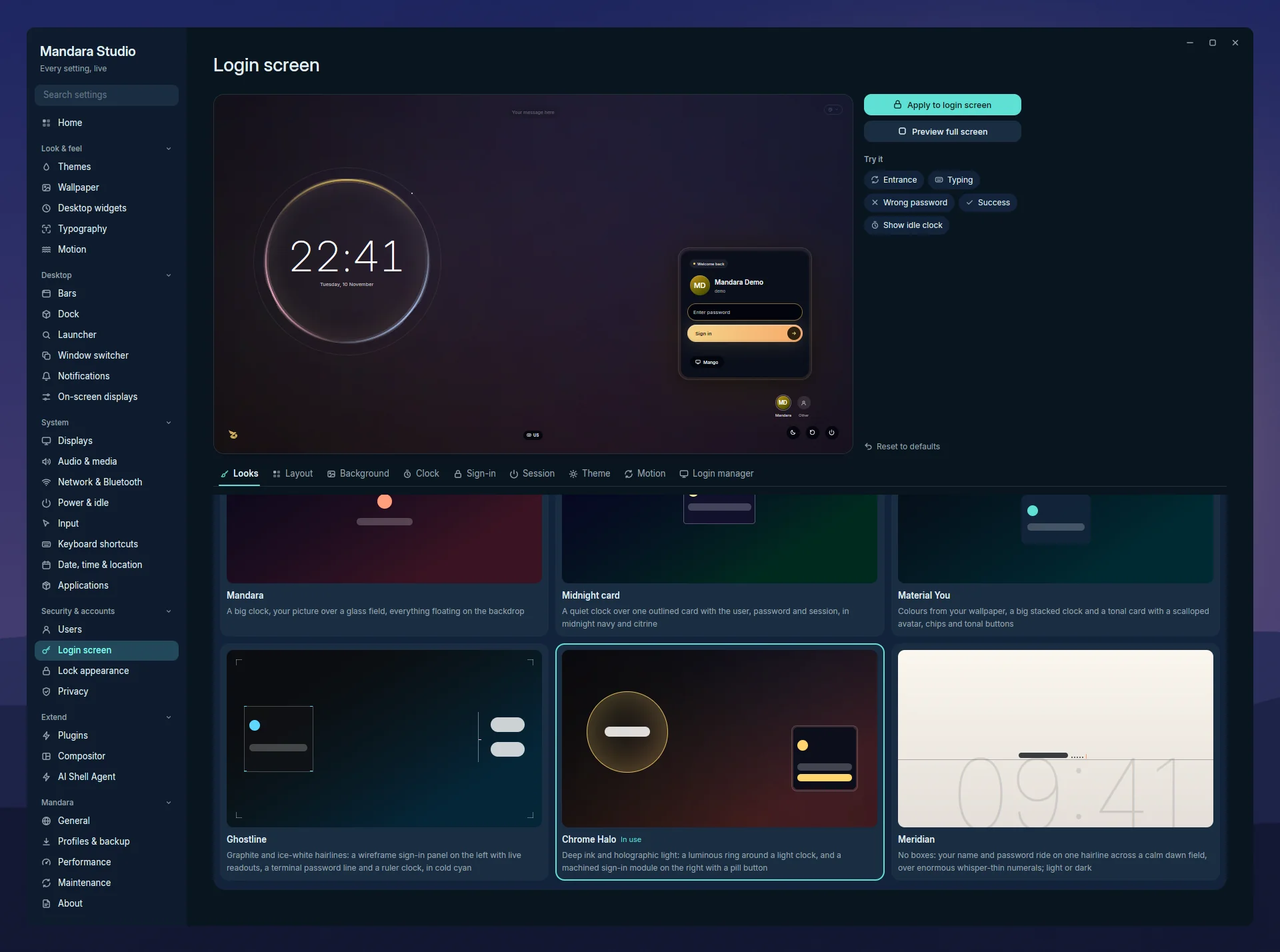
  <img src="docs/screenshots/studio-login.webp" alt="Studio: the login screen designer with a live preview of the Chrome Halo look, the Try it buttons and the six Looks: Mandara, Midnight card, Material You, Ghostline, Chrome Halo and Meridian" width="100%"/>
  <br/>
  <sub><b>Mandara Studio</b>: every setting, live, with previews like this login screen designer.</sub>
</p>

## Desktop widgets

Dress up your desktop with dozens of widgets: clocks of every
kind, calendars with your events, the sky, the weather, what's playing, a
to-do list you tick right there, quick toggles, a desk cat and more. Each
one can sit on a glass or solid plate, take a shape (a circle, a scalloped
cookie, a flower, torn paper…) and wear a frame like washi tape or a
polaroid. Pick Western or Eastern Arabic digits, the Gregorian or Hijri
calendar and the language of the day names. Widgets come from plugins, so
you turn on only the ones you want, and plugins can add their own.
The opt-in [Qur'an reader](docs/plugins.md#jannah-quran-hadith-and-prayer-times)
also offers Yasser Al-Dossary, Abdulrashid Sufi and Abdul Basit Abdul Samad.
[Desktop widgets](docs/desktop.md#desktop-widgets)

<table>
<tr>
<td width="50%" valign="top"><img src="docs/screenshots/widgets-desk.webp" alt="Desktop widgets: a cookie analog clock, a quote, a month calendar, a taped to-do list on torn paper, a sticky note, the focus timer and upcoming events" width="100%"/><br/><sub><b>Your day</b>: tick tasks, start the timer, see what's next.</sub></td>
<td width="50%" valign="top"><img src="docs/screenshots/widgets-music.webp" alt="Music widgets: a turning record, a pocket player, a cover cut to a flower, a side pill, an LED meter, a dot-matrix clock and the desk cat" width="100%"/><br/><sub><b>What's playing</b>, painted six ways, with the desk cat bobbing along.</sub></td>
</tr>
<tr>
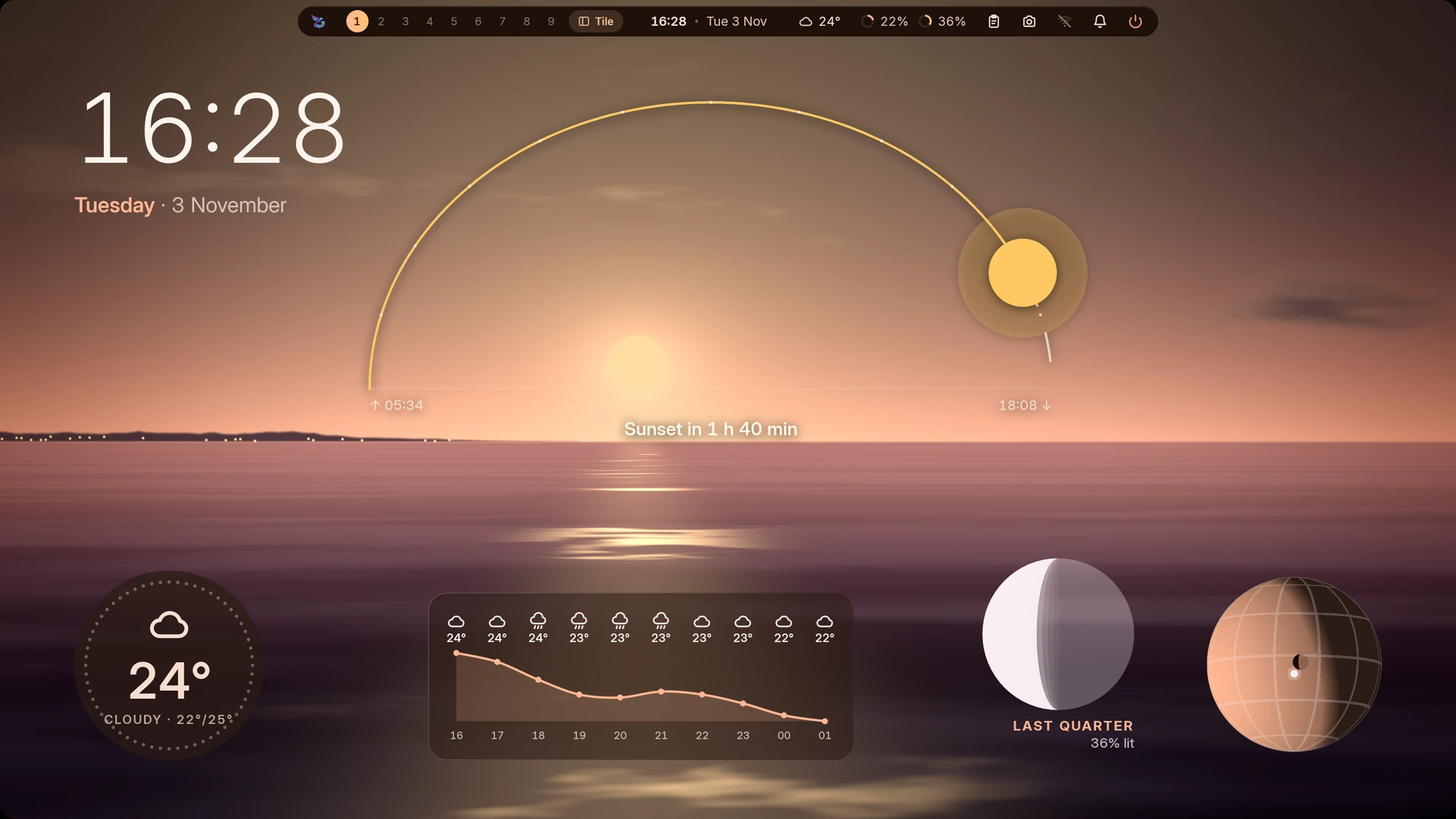
<td width="50%" valign="top"><img src="docs/screenshots/widgets-sky.webp" alt="A sky dashboard over the sea at golden hour: the sun's arc with sunrise and sunset rising over the horizon, a clock, a weather disc, the next hours as a temperature curve, tonight's moon and a day-and-night globe" width="100%"/><br/><sub><b>The sky</b>: the sun's arc, the moon, the globe and the weather, as one dashboard.</sub></td>
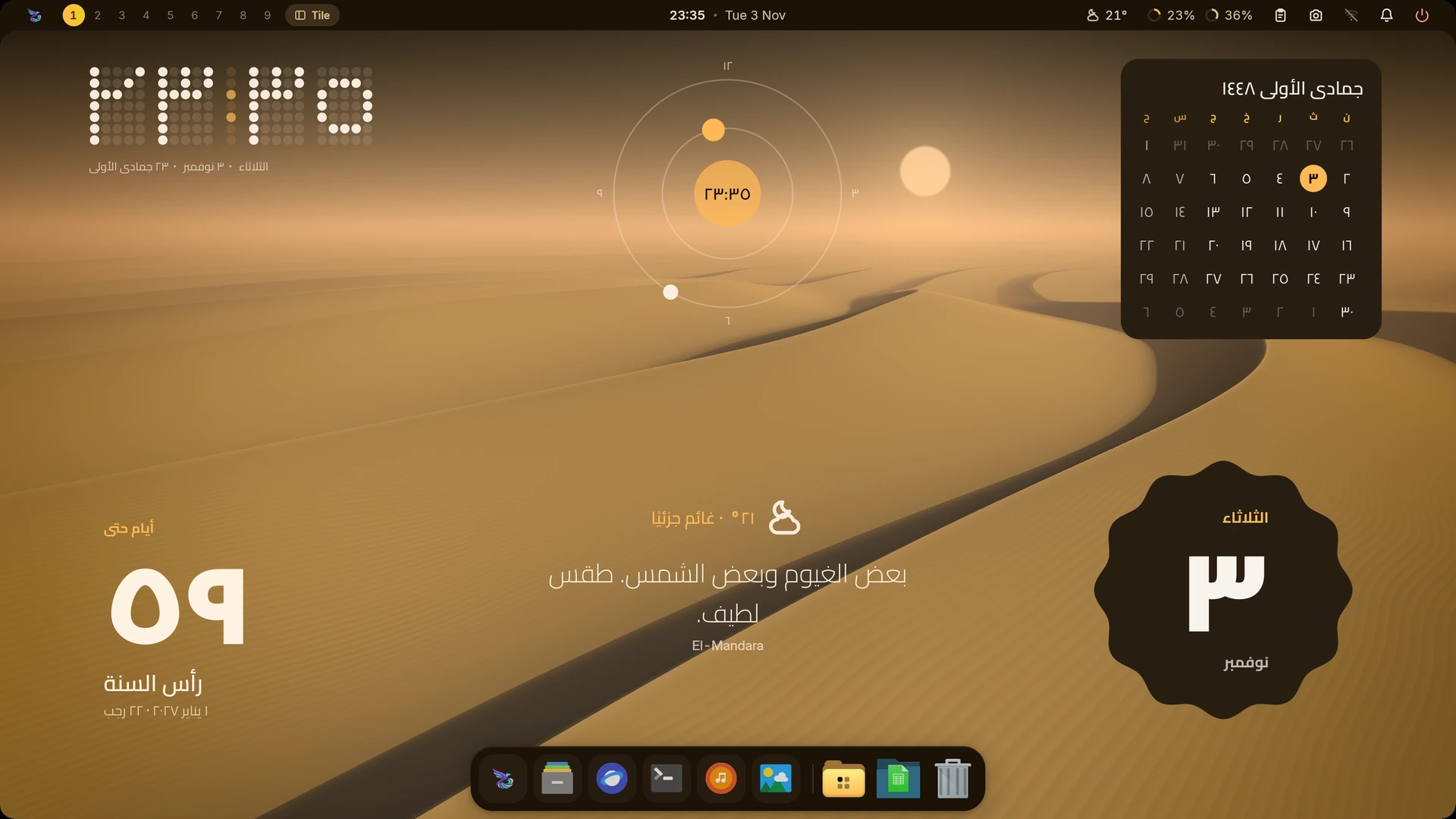
<td width="50%" valign="top"><img src="docs/screenshots/widgets-arabic.webp" alt="Widgets in Arabic over desert dunes: a dot-matrix clock in Eastern Arabic digits with the Gregorian and Hijri dates, an orbit clock, a Hijri month, the weather in words, a countdown and a date tile on a scalloped plate" width="100%"/><br/><sub><b>Your language</b>: Eastern Arabic digits and the Hijri calendar.</sub></td>
</tr>
</table>

## Install

One command, from any shell:

```bash
sh -c 'f=$(mktemp) && trap "rm -f -- \"\$f\"" 0 && curl --proto =https -fL https://thehamdiz.github.io/mandara/install.sh -o "$f" && sh "$f" "$@"' sh
```

The download shows its size and progress, confirms the release signature
and archive checksum, then opens Mandara's installer with an arrow-key
setup menu. Compositor,
login and other options go
straight to `mandara install`. Append them after the final `sh`, for example
`--compositor kwin --no-greeter`; see the [installation guide](docs/install.md).
If the installer adds Mandara to PATH, open a new terminal before using its
commands. Studio is also available from your application menu.

The installer sets up what your distribution
needs, and hooks into your compositor without touching your own config
files (no compositor yet? it offers to install one). It works on Arch,
Debian and Ubuntu, Fedora, openSUSE, Void, Alpine, Gentoo and Solus. Updates arrive by small binary patch: Studio → About →
**Update now**.

On **image-based systems** (Bazzite, Silverblue, Kinoite, Bluefin, Aurora,
Aeon, Kalpa, Vanilla OS), the same command puts Mandara in your home folder
and adds only the system packages the image lacks, in one `rpm-ostree`,
`transactional-update` or `abroot` transaction after asking. It says when a
reboot is needed; after it, Mandara Login is one click away in Studio →
Login screen. On SteamOS it installs into your home folder only
([Immutable systems](docs/install.md#immutable-systems)).

On **FreeBSD 14+** (14.4 and newer, 15 included; amd64), the same command installs the
FreeBSD build; without curl, use the base system's `fetch`
([FreeBSD install](docs/install.md#freebsd)).

On **NixOS**, Mandara is a flake: try it with
`nix run github:theHamdiz/mandara`, or add it to your system with
`programs.mandara.enable = true;` (a NixOS module and a Home Manager
module come with it). NixOS users update through their flake, not Studio's
*Update now*: in your configuration flake directory, run
`nix flake update mandara`, then `sudo nixos-rebuild switch --flake .` (or
`home-manager switch --flake .`). Use your input name if it differs from `mandara`.

→ **[Install guide](docs/install.md)**: Arch packages, NixOS, FreeBSD, immutable systems, other
options, coming from another setup.

## Common questions

**Does Mandara change my compositor config?** Only by one include line.
Everything else goes to `~/.config/mandara/generated/`, and each change is
checked by the compositor's own validator and rolled back if it objects.

**How do I update?** Studio → About → **Update now**. Updates are small,
signed binary patches.

**Can I script it or let an AI agent drive it?** Yes. Nearly every action
is a `mandara msg` command with a JSON reply, and scripts can push live
progress to the bar.

**Can I write my own plugins?** Yes, in Rust, compiled to a sandboxed
WebAssembly component. They hot-reload while you work and can be shared
through the GitHub marketplace. Community listings follow maintained
[store moderation rules](PLUGINS.md#store-moderation), updated independently
of Mandara releases. [Writing plugins](PLUGINS.md)

More answers in the **[FAQ](docs/faq.md)**.

## Learn more

- **[Documentation](docs/README.md)**: every feature, one topic per page
- **[FAQ](docs/faq.md)**: short answers to common questions
- **[Using Mandara](docs/usage.md)**: commands and default shortcuts
- **[Plugins](docs/plugins.md)** and **[writing your own](PLUGINS.md)**
- **[Why Mandara](docs/why-mandara.md)**: how it compares with other shells
- **[Building from source](docs/building.md)**, with locked dependencies, and
  **[contributing](AGENTS.md)**

## Star history

<p align="center">
  <a href="https://www.star-history.com/#theHamdiz/mandara&Date">
    <picture>
      <source media="(prefers-color-scheme: dark)" srcset="https://api.star-history.com/svg?repos=theHamdiz/mandara&type=Date&theme=dark"/>
      <source media="(prefers-color-scheme: light)" srcset="https://api.star-history.com/svg?repos=theHamdiz/mandara&type=Date"/>
      <img alt="Mandara Shell's GitHub stars over time" src="https://api.star-history.com/svg?repos=theHamdiz/mandara&type=Date" width="100%"/>
    </picture>
  </a>
</p>

## Supporting Mandara

Mandara is free, open source and always will be. If it makes your desktop a
little nicer and you'd like to say thanks, you can chip in toward the AI
credits and developer time that go into it:

[![Buy me a coffee on Ko-fi](https://img.shields.io/badge/Ko--fi-Buy%20me%20a%20coffee-FF5E5B?logo=ko-fi&logoColor=white)](https://ko-fi.com/thehamdiz)

It's entirely optional. Using Mandara, telling a friend, writing a plugin
or reporting a bug helps just as much. Thank you!

## Local shell commands

Enable **Studio → AI Shell Agent**, download the required models, then type
`!dark mode` in any launcher look. Review the exact command and press Enter.
Inference runs offline on your CPU and unloads after use or cancellation.
See [the guide](docs/command-agent.md) for setup and model sizes.

## License

Mandara Shell is free software under the **GNU General Public License,
version 3 or later** ([LICENSE.md](LICENSE.md), notice in
[COPYRIGHT.md](COPYRIGHT.md)). Vendored code keeps the license in its
folder, and fonts and models downloaded on demand keep their own: OFL for
Google Fonts, Apache-2.0 for the PaddleOCR models and the Depth Anything V2
Small depth model. Optional FunctionGemma weights use the [Gemma terms](https://ai.google.dev/gemma/terms).