mandara
Lock screen and Mandara Login
Widgets on login and lock screens
Open Studio → Login screen → Layout → Widgets to add a public decoration to Mandara Login. Choose Add a widget to open the gallery. Its Copy from desktop section appears when an eligible desktop widget exists; use it to keep that widget’s appearance and position. Expand a placed widget to change its anchor, offsets, scale or opacity. Use Apply to login screen when the draft is ready.
The same editor is under Studio → Lock appearance → Widgets for Mandara’s native locker. On KWin, Plasma’s secure locker owns that screen; Studio explains the limitation and leaves the custom lock editor disabled. Login widgets remain available through Mandara Login.
Clocks, calendars without events, weather, world clocks, countdowns, progress, sky, text and shape decorations, and palette swatches are eligible. The copies are independent of the desktop. Notes, messages, account feeds, personal pictures and widget actions are excluded. Both collections start empty, and the authentication controls stay above them. Copied countdowns use the next New Year, without their desktop title or private date. World clocks without a city list use the public default cities.
Weather has its own Public weather location choice. The editor shows the coordinates before Use this location publicly; adding a widget does not copy the desktop’s location. The public configuration permits forecast requests only for visible weather widgets or a day-block clock with its weather caption enabled. Studio previews stay offline, including Preview full screen, and show the unavailable state until a real screen fetches data. Remove the location to stop those requests.
Widgets reuse their desktop painters, with cached rendering away from the authentication thread. Their clocks refresh when the displayed time changes; an empty collection starts no painter or weather service.
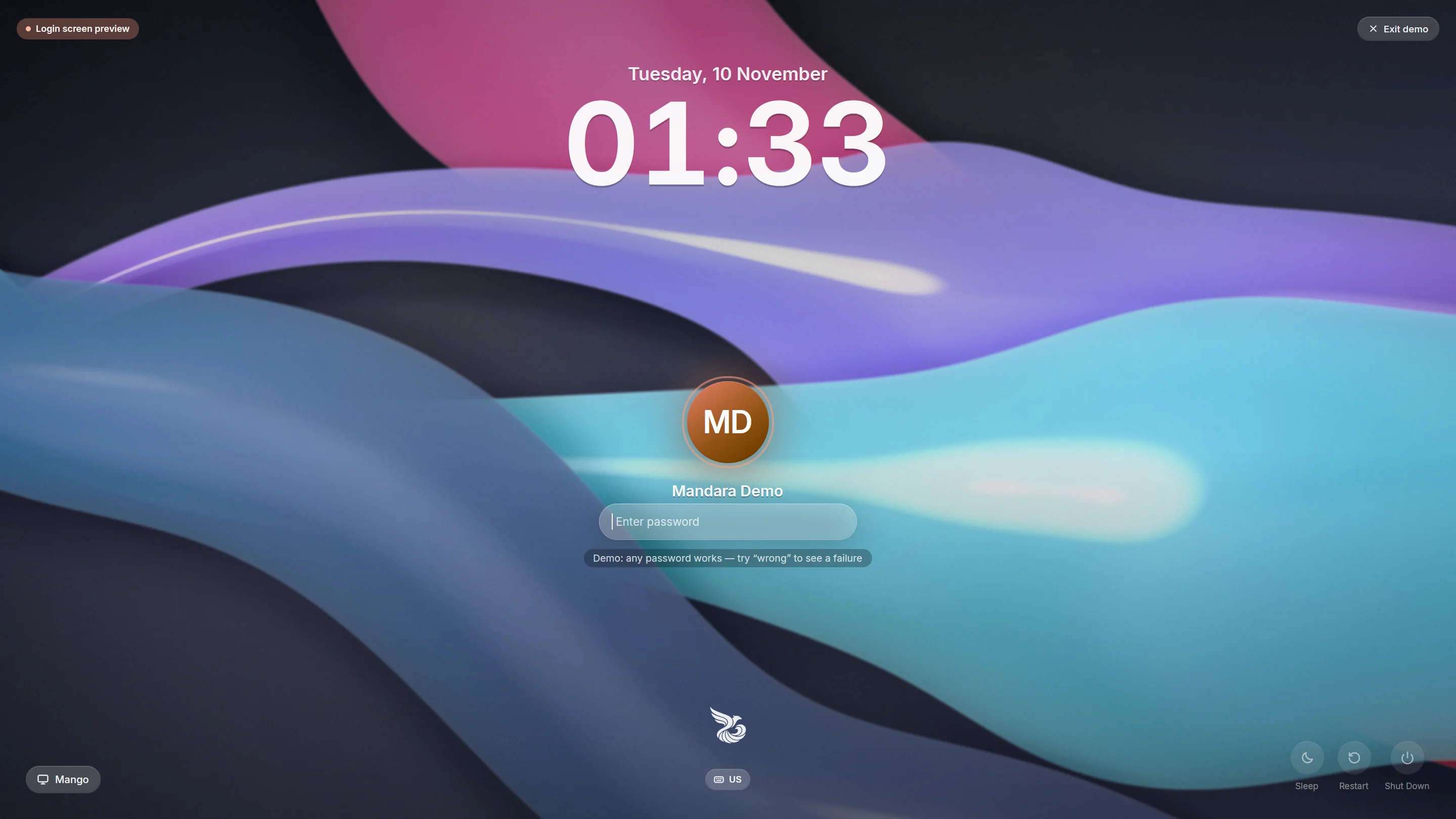 Mandara Login, the login manager: the Mandara design |
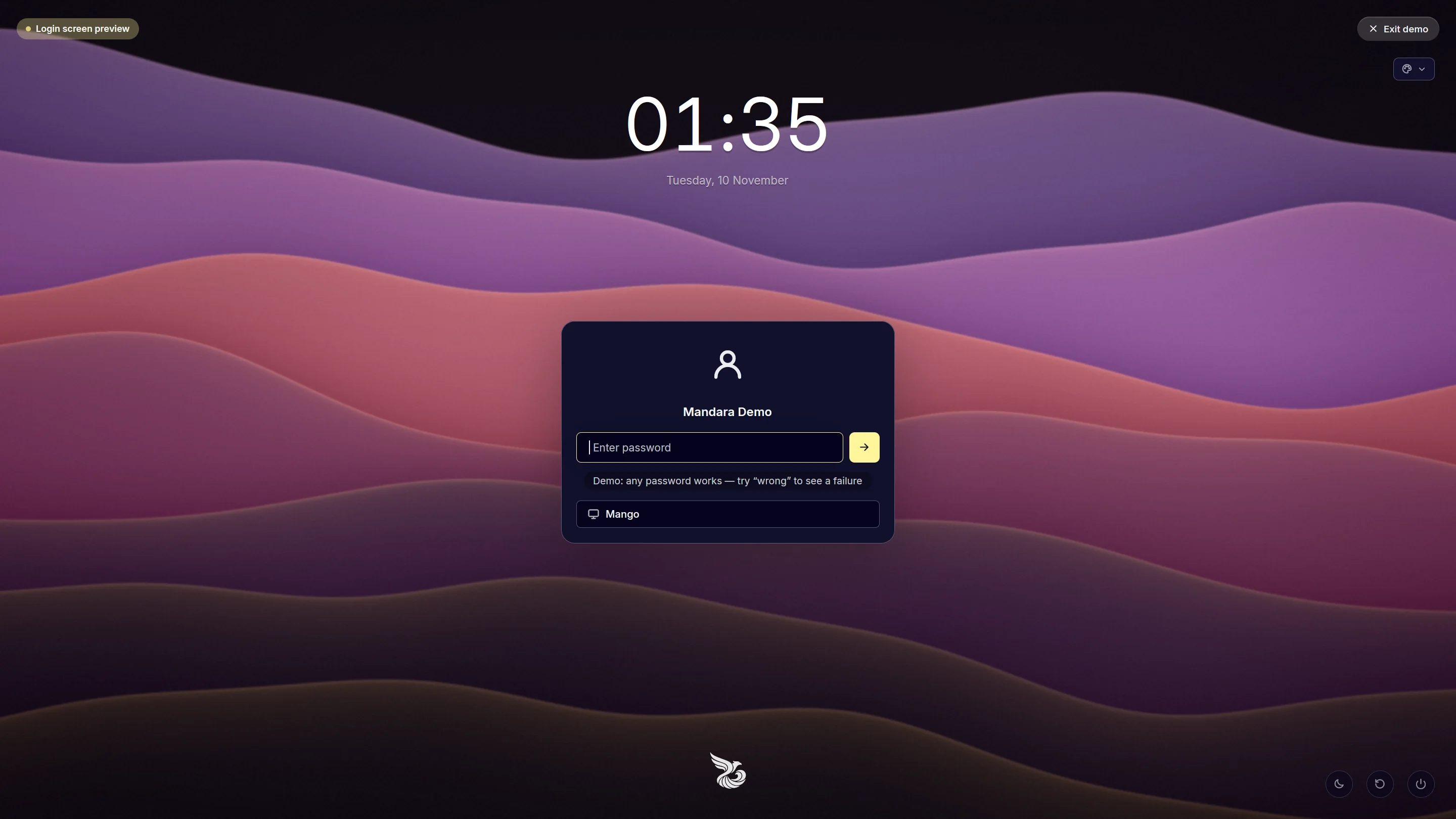 The Midnight card design |
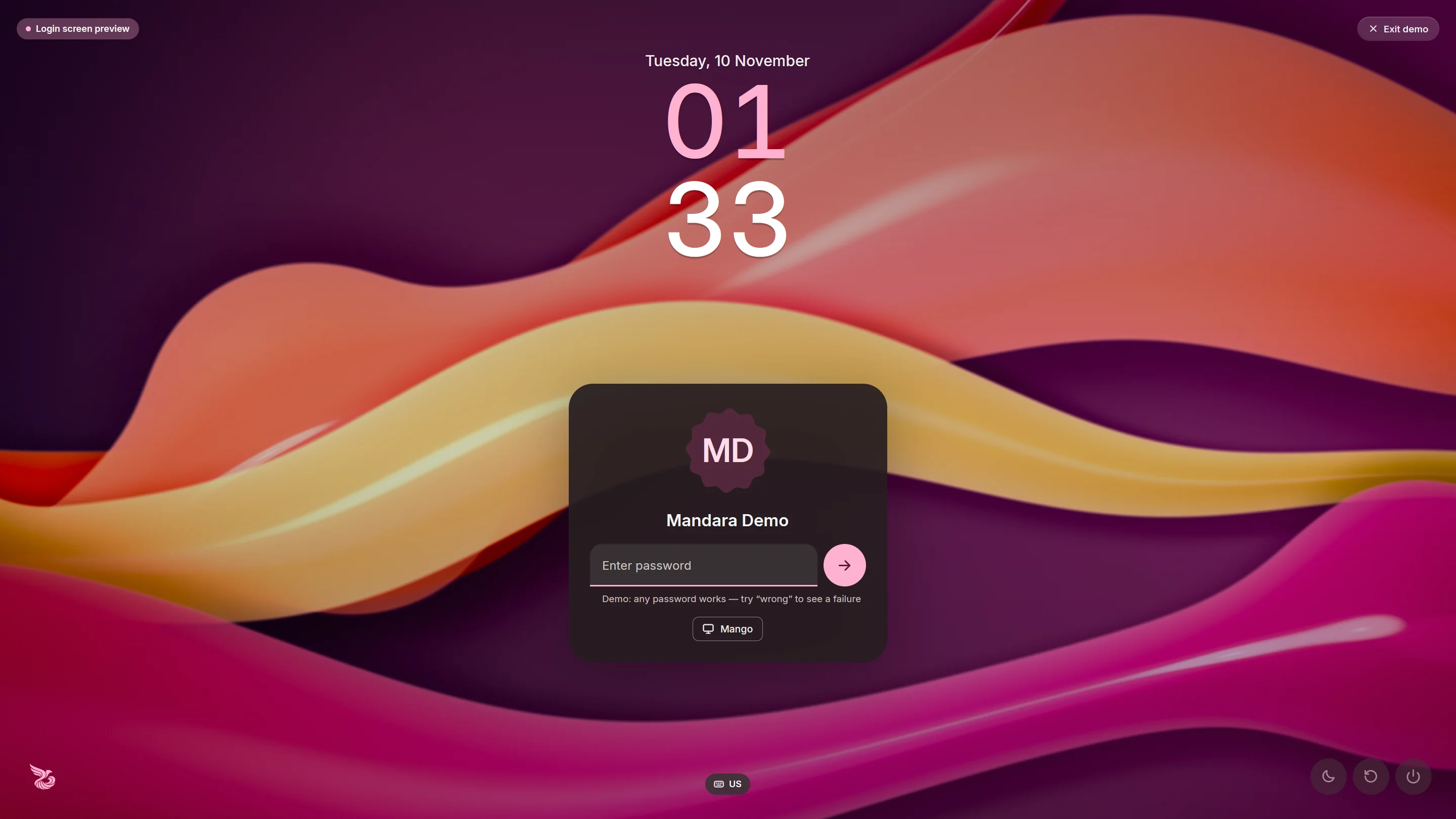 The Material You design |
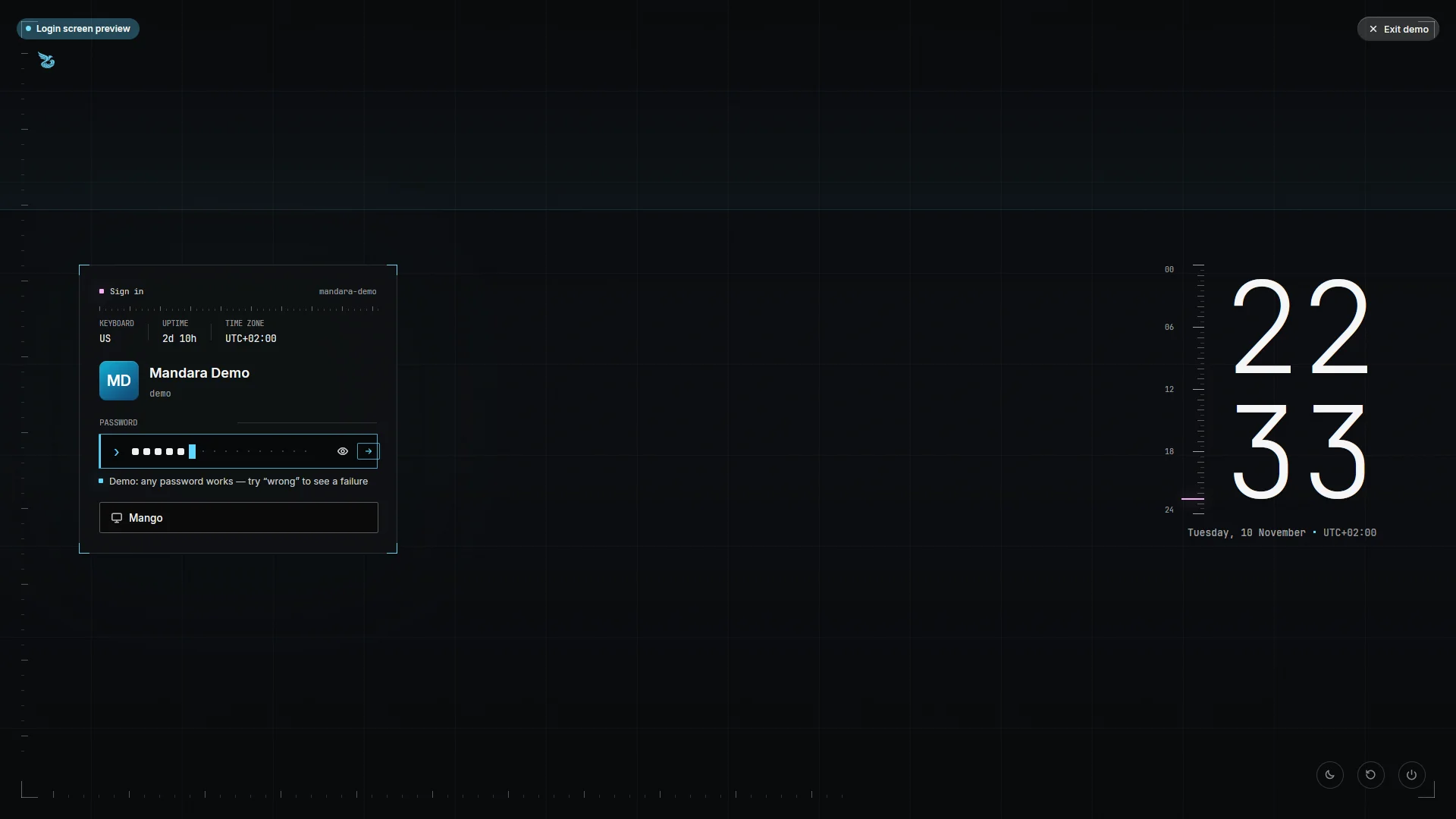 The Ghostline design |
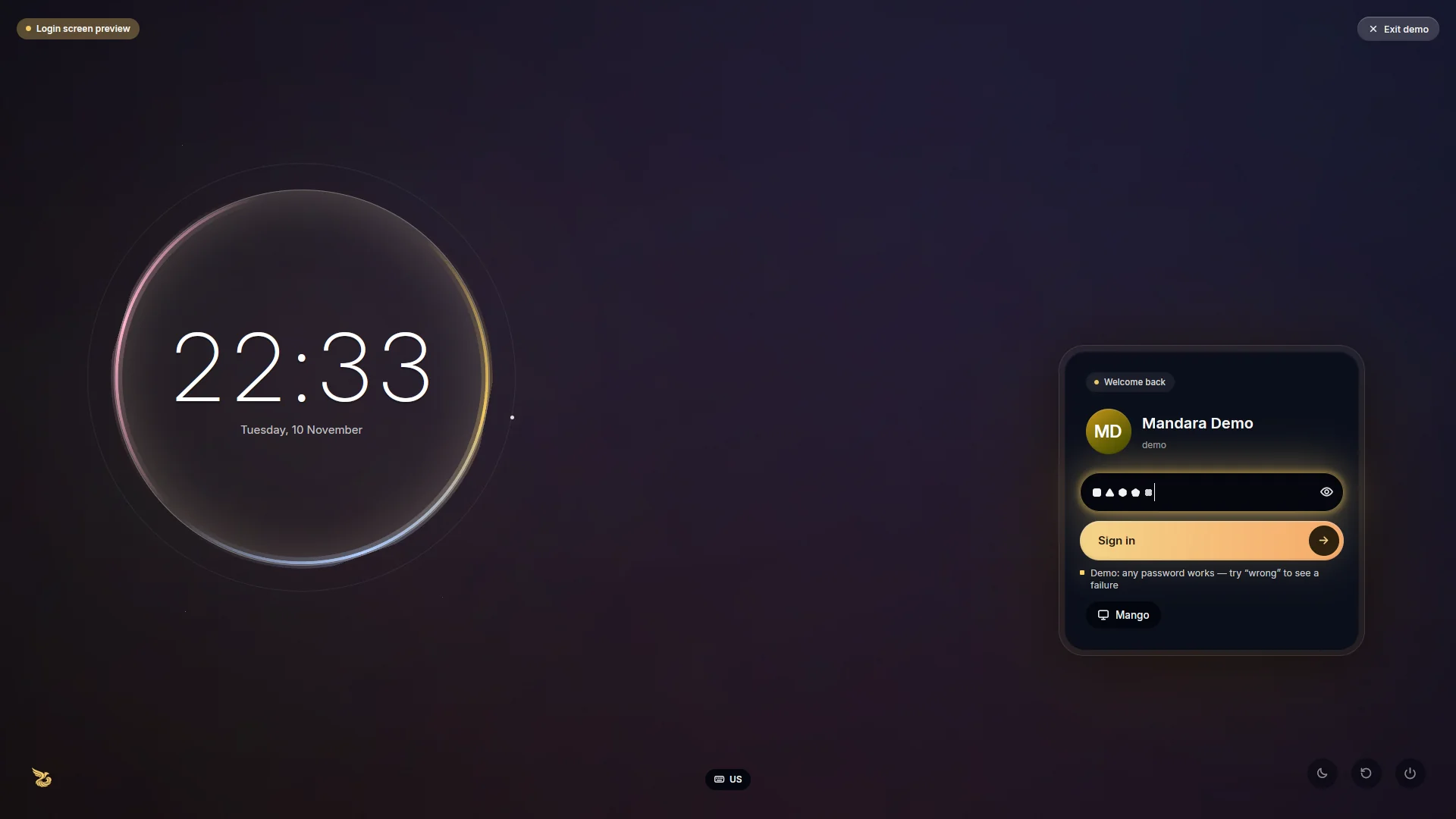 The Chrome Halo design |
 The Meridian design, light or dark |
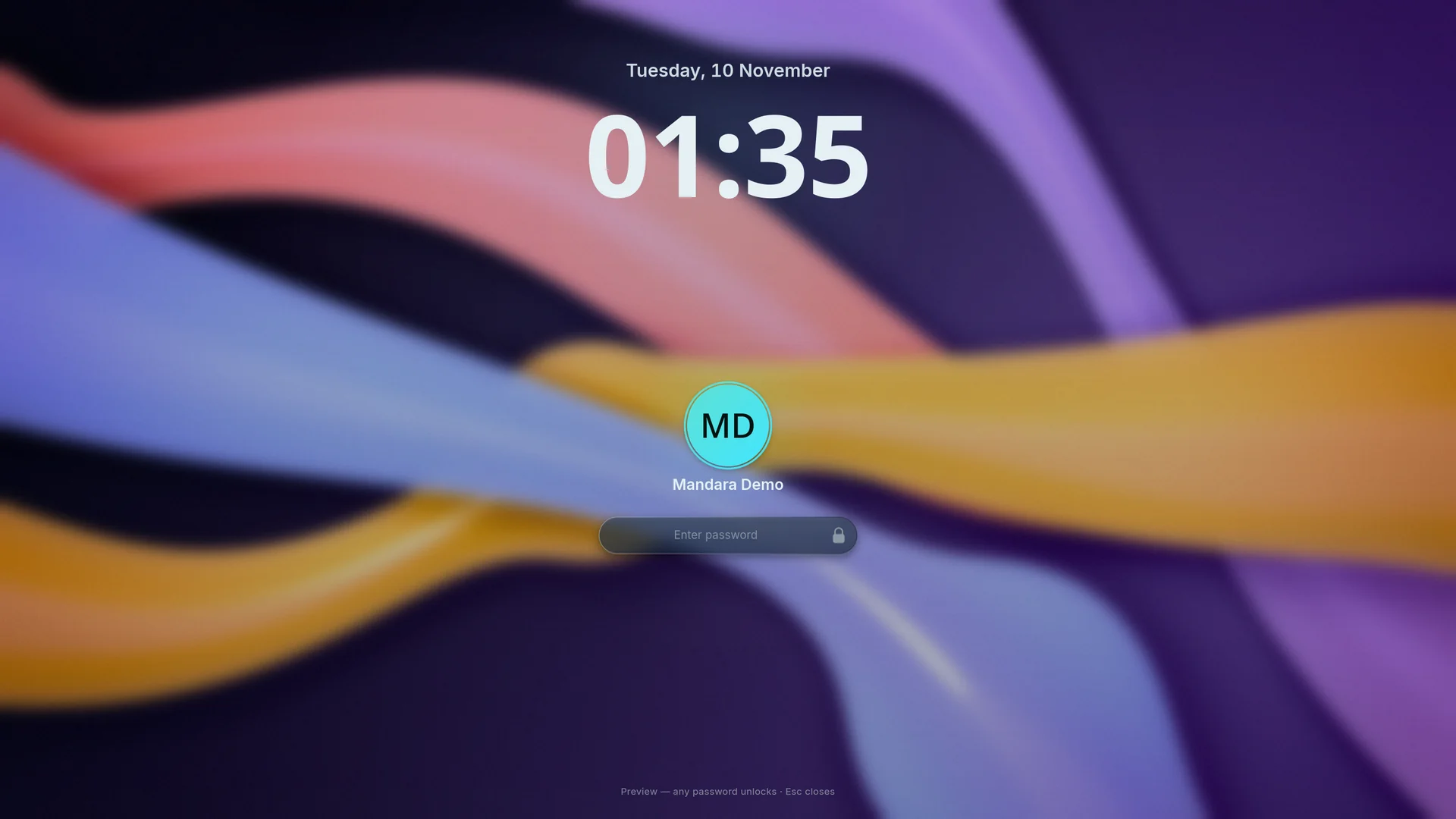 Lock screen: the Mandara design |
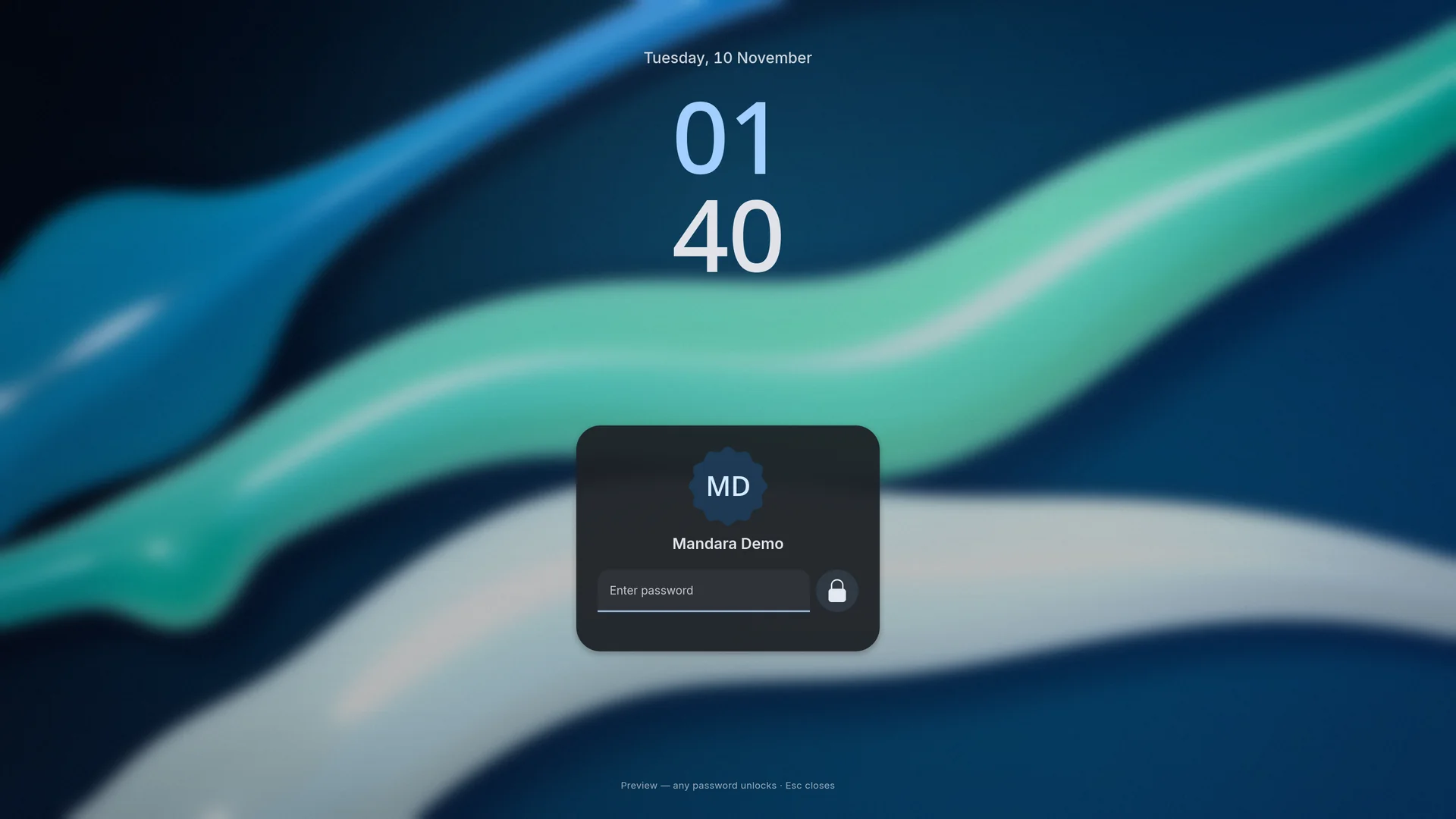 The Material You design |
- Mandara Login is a complete login manager: a greetd greeter in the same binary. Backgrounds are AV1 video clips decoded in pure Rust (no ffmpeg or GStreamer), a slow-zoom slideshow or a generated OKLCH aurora. It has a rolling clock, springy entrances, a breathing avatar ring, typing ripples, a shake on a wrong password and a cinematic zoom into your session.
- Design it in Studio: drag every element on a live, smooth preview in Studio → Login screen (below), or start from one of three looks: Mandara, Midnight card or Material You.
- Try it safely:
mandara greeter --demoruns it on your session without logging you out.sudo mandara greeter installprints its plan, keeps backups and switches display managers only when you add--apply. → docs/login-manager.md - Your login screen by default: the installer asks once, installs
greetd and cage, and switches to Mandara Login with a backup
(
--no-greeterskips it; undo withsudo mandara greeter restore latest). - Switch login screens any time: Studio → Login screen → Login
manager lists Mandara Login, tuigreet, ReGreet, gtkgreet, nwg-hello,
QtGreet, agreety, SDDM, GDM, LightDM, Ly and LXDM. One that isn’t installed
gets Install & use, which installs it with what it needs (greetd, cage,
LightDM’s greeter) through your package manager, then switches. From a
terminal:
mandara greeter listandsudo mandara greeter use <name> --apply --install. Every switch prints its plan first, changes only greetd’scommandline ordisplay-manager.service, keeps timestamped backups and never stops your running session: it takes effect at the next boot. - Keyring unlock prompts: Mandara is gnome-keyring’s system prompter,
so unlocking a keyring or choosing a new keyring’s password opens a native
Mandara dialog (show / hide, Caps Lock hint, strength meter, “unlock
automatically” choice) instead of a separate GTK window. The password
reaches gnome-keyring through gcr’s encrypted secret exchange, never in
clear text on the bus. If GNOME Shell or another prompter is already
running, Mandara waits its turn; turn it off in Studio → General, and
preview it with
mandara msg keyring-prompt demo. - Keyrings unlock at login: with Mandara Login,
sudo mandara greeter keyring-unlock --apply(or Studio → General → Keyrings & passwords) adds the GNOME Keyring and KWallet PAM modules to greetd’s login rules, only the ones installed, between clear markers and with a backup (--removeundoes it). A password login then opens your keyrings with no prompt at all. It doesn’t apply to autologin, and each keyring’s password must match your login password. - KeePassXC: unlock a database in Mandara’s own dialog (database picker,
key file, Caps Lock hint) from quick settings, the launcher or
mandara msg keepassxc unlock, optionally asked once at login. Mandara confirms the database really unlocked. The password reaches KeePassXC in clear text on your session bus (only your own programs can read it), and databases protected by a hardware key open in KeePassXC’s own window. - Lock screen:
ext-session-lock-v1on every display, your password checked through PAM, a big clock, avatar, now playing, weather, notification count and battery, with classic, stacked or compact layouts and black secondary displays for OLED care. Studio → Lock appearance → Design (lock.design) switches it between Mandara and Material You: colours from your wallpaper, a big stacked clock whose weight grows as the screen appears, weather, music and notifications as tonal chips, and a tonal card with your picture in a scalloped shape, a filled password field and a round button beside it that squares off and shows Material’s loading shape while the password is checked. Anything that runsloginctl lock-sessionlocks it; preview it withmandara lock --demo. - Password symbols: on both screens each typed character appears as
one of ten small soft shapes after Material 3’s expressive shape set
(circle, rounded square, triangle, diamond, pentagon, arch, semicircle,
oval, scalloped cookie and four-leaf clover). A shape depends only on the
character’s position and a random seed renewed with each attempt, never
on the character, and neighbours never match. Symbols start at the
field’s start edge (the right edge in right-to-left languages) and keep
their places while you type or delete; a full field scrolls by one so
the newest stays visible. Choose plain dots in Studio → Lock appearance →
Password symbols (
lock.password_symbols = "dots") or Studio → Login screen → Hide typing as. Reduced motion skips the pop and fade.
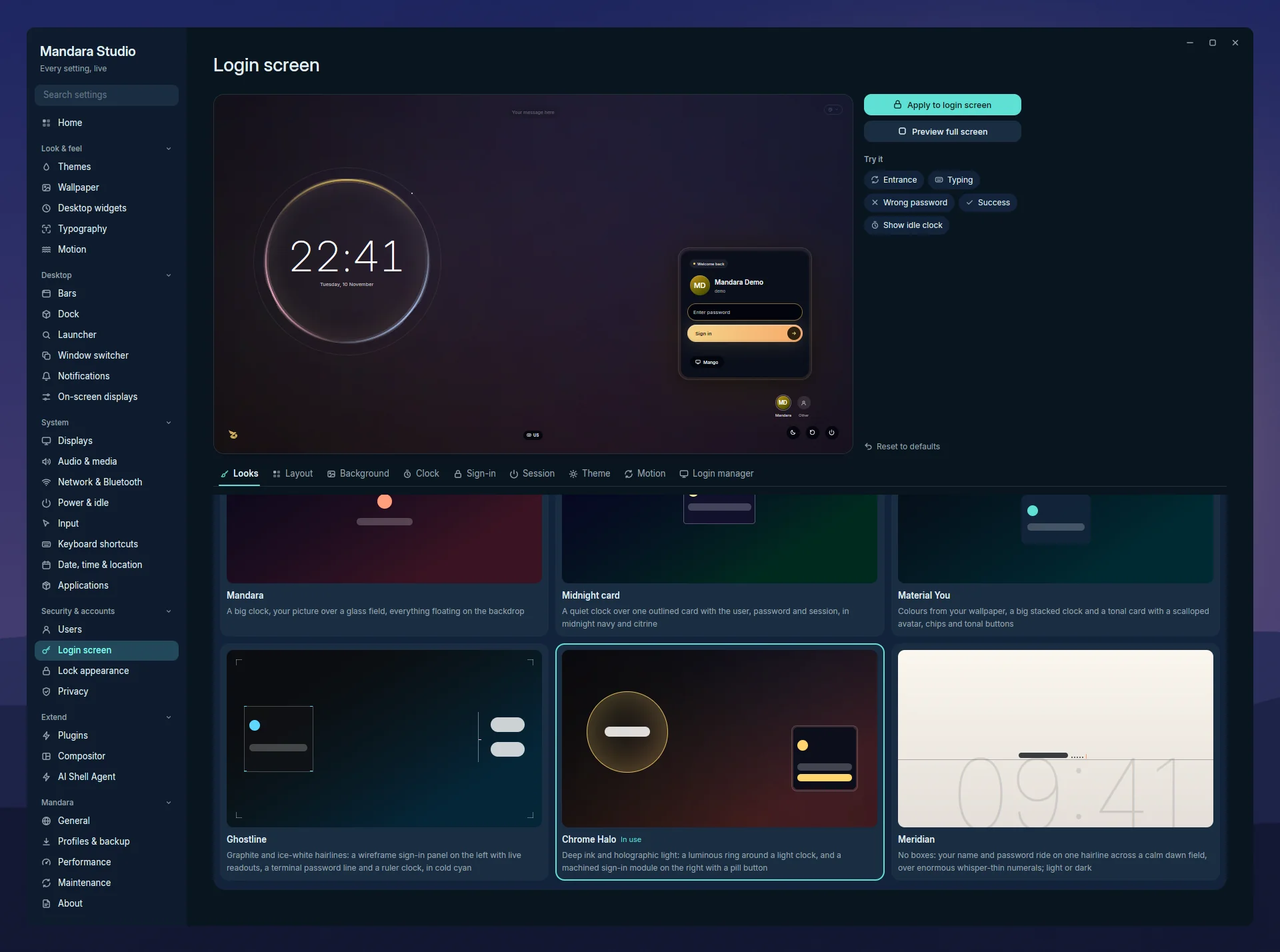
Studio → Login screen: the designer with a live preview.
On Plasma Wayland / KWin, lock requests use Plasma’s secure locker. Mandara waits for its confirmation before reporting a successful lock; the Mandara lock-screen preview is still available. KWin does not expose the lock-surface protocol used by Mandara’s own locker.
Public Hijri dates change at local midnight. These screens do not read your private prayer location or sunset adjustments.